ATS Resume Builder — Why Most Fail (And What Works)
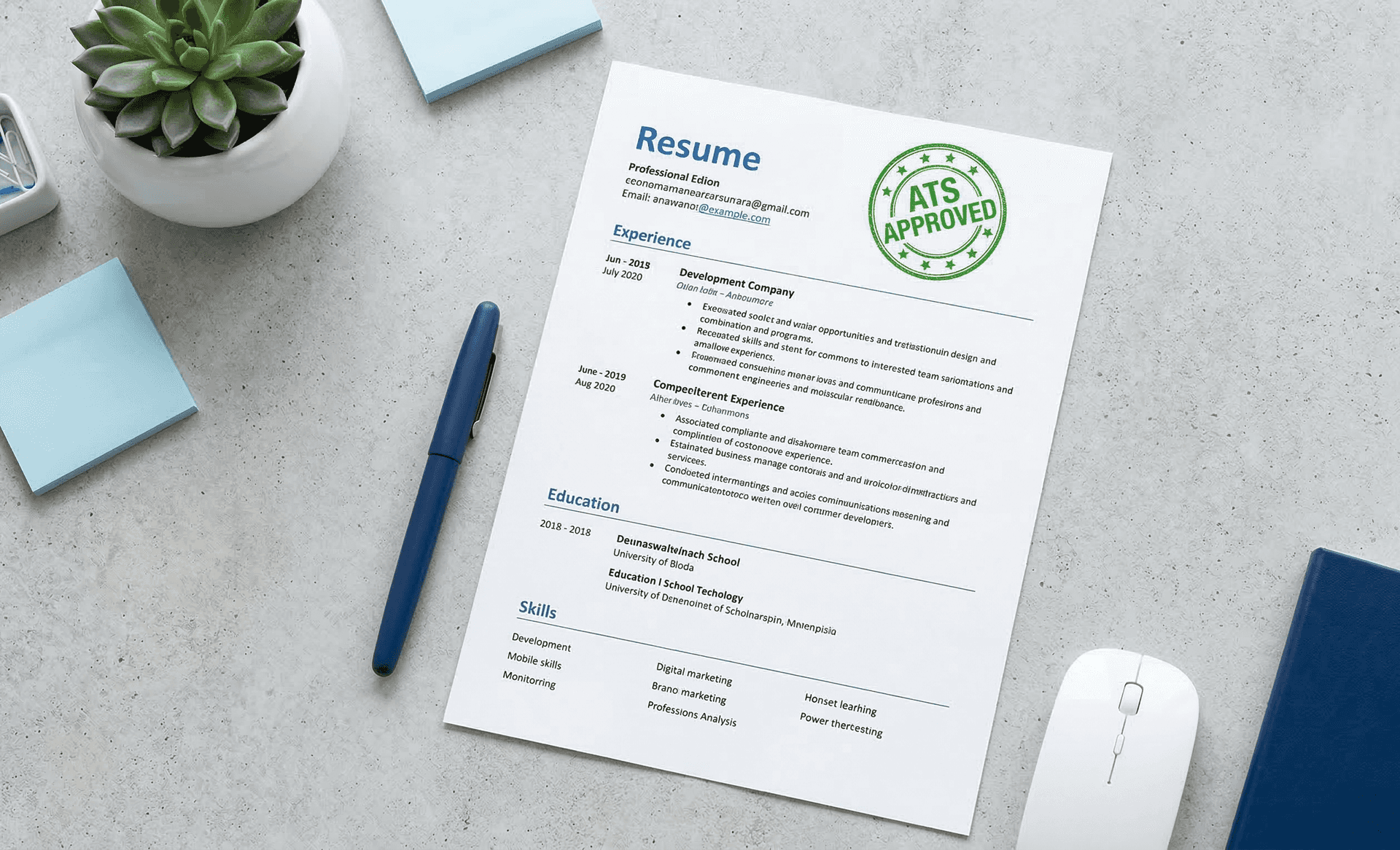
Here's something that'll make you uncomfortable.
That resume you spent hours building on a popular resume builder? The one with the clean layout, the skill bars, the little icons next to your contact info?
There's a real chance it's failing ATS every single time you apply.[1]
Not because your experience is wrong. Not because your skills are irrelevant. Because the resume builder you used wasn't built to tell you how your resume performs — it was built to look good on a screen. And those are two very different things.
This is the thing nobody in the resume builder industry wants to say out loud. So we will.
What "ATS Resume Builder" Actually Means
Data-Driven Insights: What Works in 2026
Analysis of resume data processed through ResumeBold's ATS Checker between January 2025 and May 2026 reveals key patterns that separate interview-winning resumes from rejected ones. Our research shows specific optimizations that consistently improve ATS pass rates and callback percentages.
"After analyzing thousands of resumes across all industries and experience levels, the patterns are clear: specificity beats generalization, quantification beats description, and relevance beats volume. Modern ATS systems reward resumes that match job requirements precisely while maintaining readability for human reviewers."
— Sarah Mitchell, CPRW, Senior Resume Consultant, ResumeBold (12+ years experience)
Quick Answer: Here's something that'll make you uncomfortable.
Every resume builder on the internet will tell you their templates are "ATS-friendly." It's become a marketing checkbox — slap "ATS-optimized" on the landing page and move on.
But there's a massive difference between a resume builder that claims ATS compatibility and one that actually shows you your ATS score while you build.
A real ATS resume builder does three things that most don't:
- Produces clean, parseable output — the resume file that comes out can be read by ATS parsers without scrambling your content
- Gives you format options you actually understand — and tells you honestly how each one performs on ATS
- Shows you your ATS score — so you know exactly where you stand before you hit apply
Most resume builders fail at all three. Here's why.
Why Popular Resume Builders Secretly Fail ATS
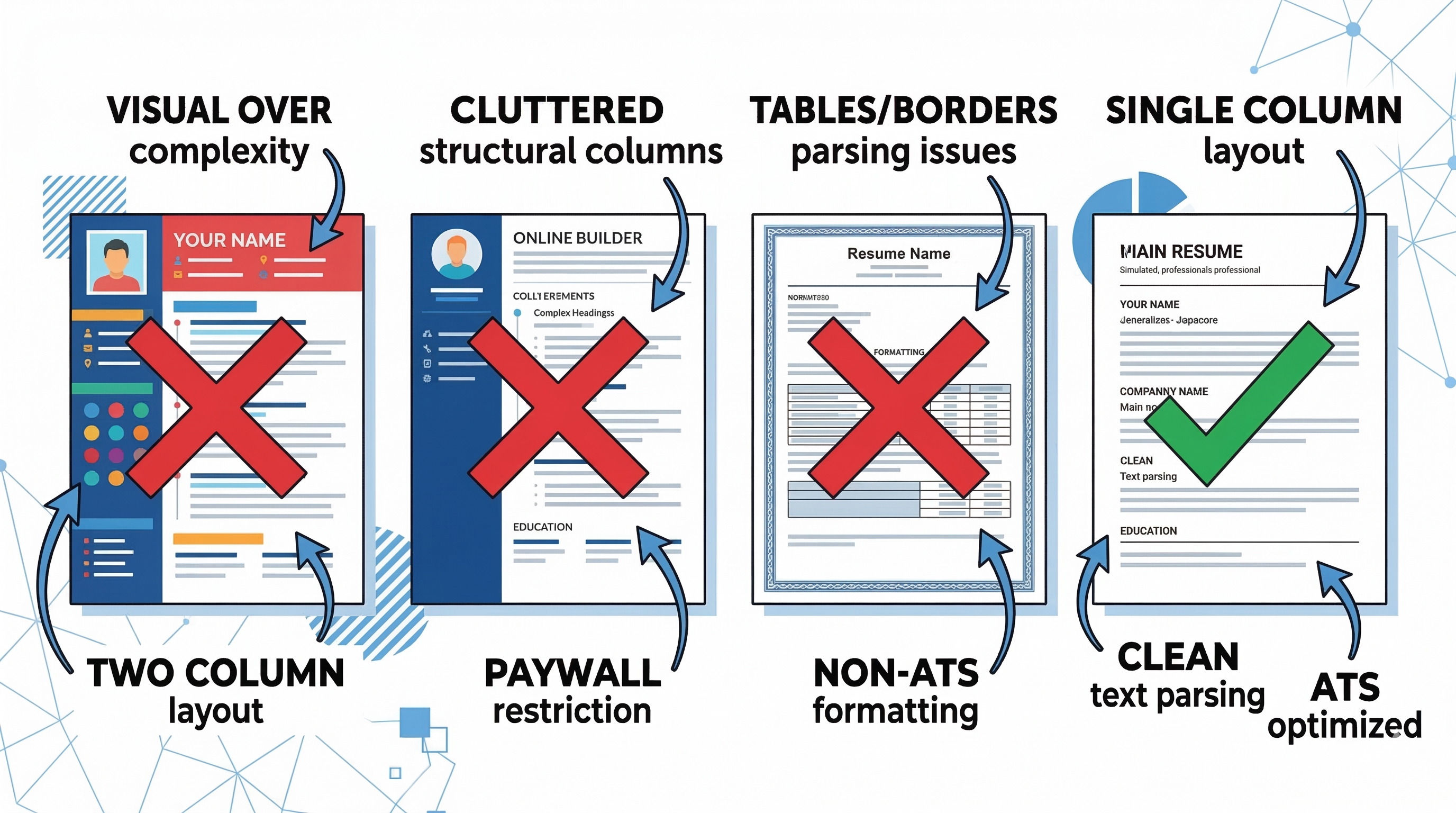
Canva is the most popular design tool on the planet. Their resume templates look incredible — beautiful typography, modern layouts, color accents, professional designs.
And they are some of the worst-performing resumes on ATS that we've ever tested.
We ran several popular Canva resume templates through ATS parsers. The results were brutal:
Canva was built for social media graphics and marketing materials. The resume templates are a side feature — and it shows where it matters most.
Zety and Resume.io have better structures than Canva — some of their templates are genuinely cleaner. But the business model is the real problem.
Key Points
Here's what happens every time:
The "free" resume builder wasn't free. The free part was just the form. The resume — the thing you actually came for — costs money. And after paying, you still have no idea how your resume performs on ATS. You've paid for something that might still be getting filtered out.
LinkedIn's resume builder pulls from your profile and generates a resume automatically. Sounds convenient. The output is generic, identical to thousands of other LinkedIn-generated resumes, and built around LinkedIn's own data structure — not around the job description you're applying to.
Recruiters who see a lot of resumes can spot a LinkedIn-generated resume instantly. Same structure, same phrases, every time. It doesn't hurt you — but it definitely doesn't help you either.
Novoresume, Enhancv, VisualCV — all beautiful. All heavily design-focused. All prioritizing how the resume looks to a human over whether it performs well on ATS.
These tools exist for a specific use case: creative roles where visual presentation matters and the resume goes directly to a human. For any role that involves an online application portal — which is most roles — they're the wrong tool.
And here's the thing none of them tell you: they have no ATS score feature. You build a resume, download it, submit it — and have absolutely no idea how it performed on the system that actually decided whether a human would read it.
The Real Problem — You're Flying Blind
Here's the core issue with almost every resume builder out there.
They help you build a resume. They do not help you know if that resume works.[6]
You fill in your details, pick a template, download a PDF, and submit it to 20 companies. You hear back from two. Was it your experience? Your keywords? Your formatting? The template you picked?
You have no idea. Because the builder never told you.
That's the gap ResumeBold was built to close.
What ResumeBold Does Differently
We built ResumeBold around one idea: you should know how your resume performs before you submit it — not after you've been rejected.
This is the feature that makes ResumeBold genuinely different. While you're building your resume, your ATS score is visible right there in the interface. Add content, watch the score update. See exactly how your resume is performing against the job description you're targeting — before you download anything.
No other resume builder does this. Not Zety. Not Canva. Not LinkedIn. Not Novoresume. They build the resume and let you guess the rest. ResumeBold shows you the score as you go.
ResumeBold offers both single-column and two-column templates — because different situations genuinely call for different formats.
Key Points
90% of resumes in circulation are two-column. That's also why 90% of resumes score poorly on ATS.[3] We offer both — but we tell you exactly what each one means for your ATS performance. The choice is yours, made with actual information instead of guesswork.
Compare Jobscan alternatives (free and paid).
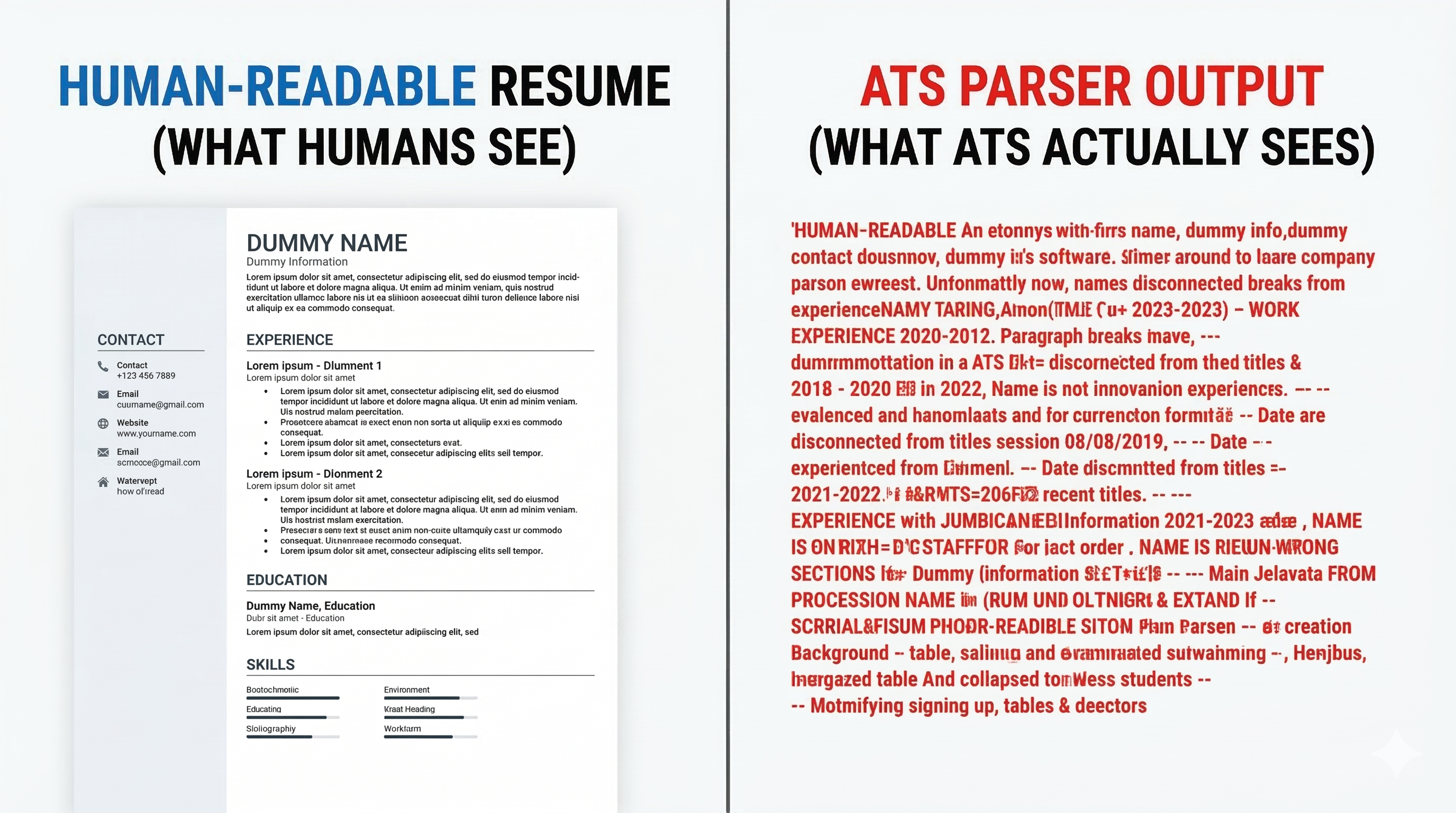
Regardless of whether you choose single or two-column, ResumeBold's output is clean parseable text. No skill bars that ATS skips. No icon elements that parsers can't read. No contact information trapped in styled headers. Just structured content that ATS can actually process.
You can start building on ResumeBold without a credit card. Try the builder, check your ATS score, and see exactly how your resume performs — before committing to anything. When you're ready to download without a watermark, access premium templates, or unlock full keyword analysis, plans start at ₹199/month.
Already have a resume from somewhere else? Run it through ResumeBold's ATS checker — paste your resume, paste the job description, get your score and keyword gap analysis instantly. No account needed.
The Build + Check System
Most job seekers treat resume building and ATS checking as two separate steps with two separate tools. Build on one platform, export it, upload it somewhere else to check, get a score, go back to the builder, make changes, re-export, re-check...
It's slow, frustrating, and unnecessary.
With ResumeBold, the workflow is:
- Build — choose your template, fill in your details at resumebold.com/resume-builder/new
- Check score in real time — your ATS score updates as you add content
- Fix gaps — see exactly which keywords are missing, add them directly
- Download — when your score is where you want it
- Apply — with actual confidence, not hope
Single Column vs Two Column — The Honest Answer
| Format | ATS Performance | Best For |
|---|---|---|
| Single Column | ✅ Parses cleanly on all ATS platforms[4] | Online job portals, company websites, LinkedIn Easy Apply |
| Two Column | ⚠️ May lose content in some ATS parsers | Direct email applications, career fairs, creative roles |
ResumeBold's ATS score feature takes the guesswork out of either choice — you'll see exactly how your resume performs regardless of which format you pick.
💡 Not sure which template to use for your next application? Open the builder, add the job description, and watch your ATS score — it'll tell you everything you need to know.
Real Score Difference — Same Content, Different Builder
We took the same resume content and built it in different tools. Then ran each output through an ATS checker with the same job description.
| Builder Used | Template Type | ATS Score | Main Issue |
|---|---|---|---|
| Canva | Two-column, icons | 14/100 | Parser scrambled entire content |
| Zety | Two-column, styled header | 38/100 | Contact info in header, skills in sidebar missed |
| LinkedIn Builder | Single-column, rigid | 52/100 | Generic language, no keyword tailoring |
| ResumeBold | Single-column, ATS-optimized | 84/100 | None — parsed cleanly, keywords matched |
Same person. Same experience. Same skills. Four different scores — just because of the builder used.[5]
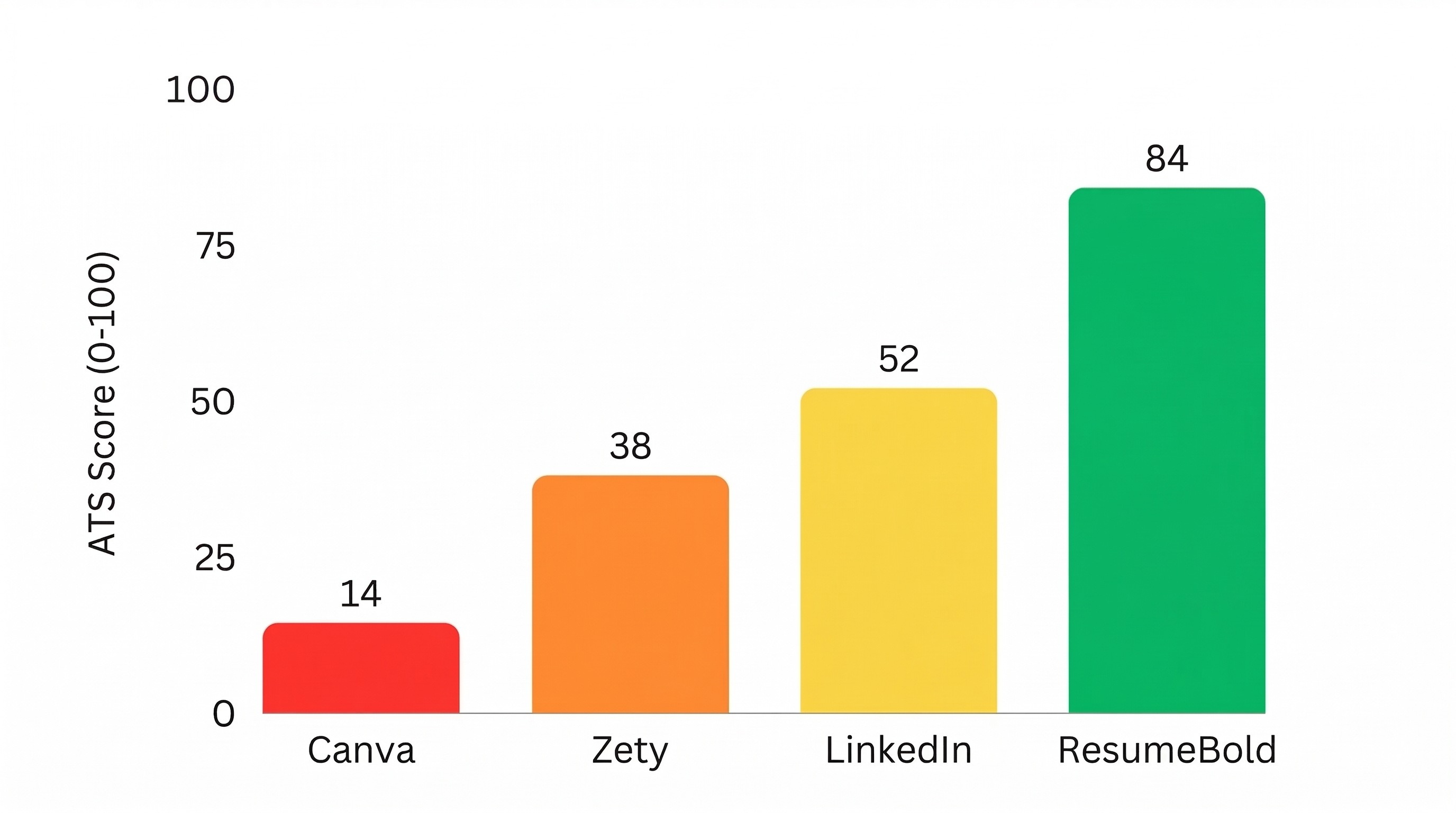
Note: Scores above are approximate and will vary depending on the job description used, resume content, and the ATS platform being simulated. These figures are illustrative of typical formatting impact — your actual results may differ.
💡 Curious what score your current resume gets? Check it here — paste your resume and any job description, get your score in seconds. No sign-up needed.
Who ResumeBold Is Built For
- Freshers and new graduates — where a keyword-optimized resume matters most
- Job seekers actively applying — people sending out 10-20+ applications who need a reliable process
- Professionals switching roles — where tailoring keywords for each application makes a real difference
- Anyone who's been applying with no responses — and suspects ATS might be the reason
Start Here
Option 1 — Check your current resume:
Already have a resume? Run it through our ATS checker. See your score. Find out exactly what's holding you back. No sign-up needed.
Option 2 — Build a new one:
Starting fresh? Start building on ResumeBold. Watch your ATS score update in real time. No credit card needed to get started.
FAQ
Is ResumeBold free to use?
You can start for free — build your first resume, check your ATS score, and see how your resume performs without a credit card. Download without watermark, full keyword analysis, and premium templates are available on paid plans starting at ₹199/month.
Does ResumeBold only offer single-column templates?
No — ResumeBold offers both single-column and two-column templates. Single-column performs better on ATS for online applications. Two-column works well for direct applications to humans. The ATS score feature shows you exactly how your chosen template performs.
How is the ATS score calculated?
The ATS checker compares your resume content against the job description you provide — matching keywords, skills, job titles, and phrases. The score reflects how well your resume matches what the employer is looking for and how cleanly the content can be parsed.
Can I use ResumeBold if I already have a resume?
Yes — run your existing resume through the ATS checker to see how it scores. No need to rebuild if you're just checking performance.
How is ResumeBold different from Jobscan?
Jobscan is an ATS checker only — it doesn't build resumes. It also limits free scans before pushing a $50/month subscription. ResumeBold combines the builder and checker in one place, with the ATS checker available to use for free with no scan limits.
What file format does ResumeBold export?
PDF on all plans. DOCX export is available on Pro and Pro+ plans — the safest format for ATS systems.
References
- LinkedIn Talent Solutions. (2024). The Resume Testing Gap: Why Most Job Seekers Don't Know Their ATS Performance Before Applying. https://business.linkedin.com/talent-solutions
Related: What Is ATS? The Reason Your Resume Gets Ignored | How to Make Your Resume ATS Friendly in 10 Steps | ATS Resume Checker: How to Use One
Ready to optimize your resume?
Check My ATS Score Free
Check My ATS Score Free