Best Resume Format 2026: Choose the Right Format for YOU
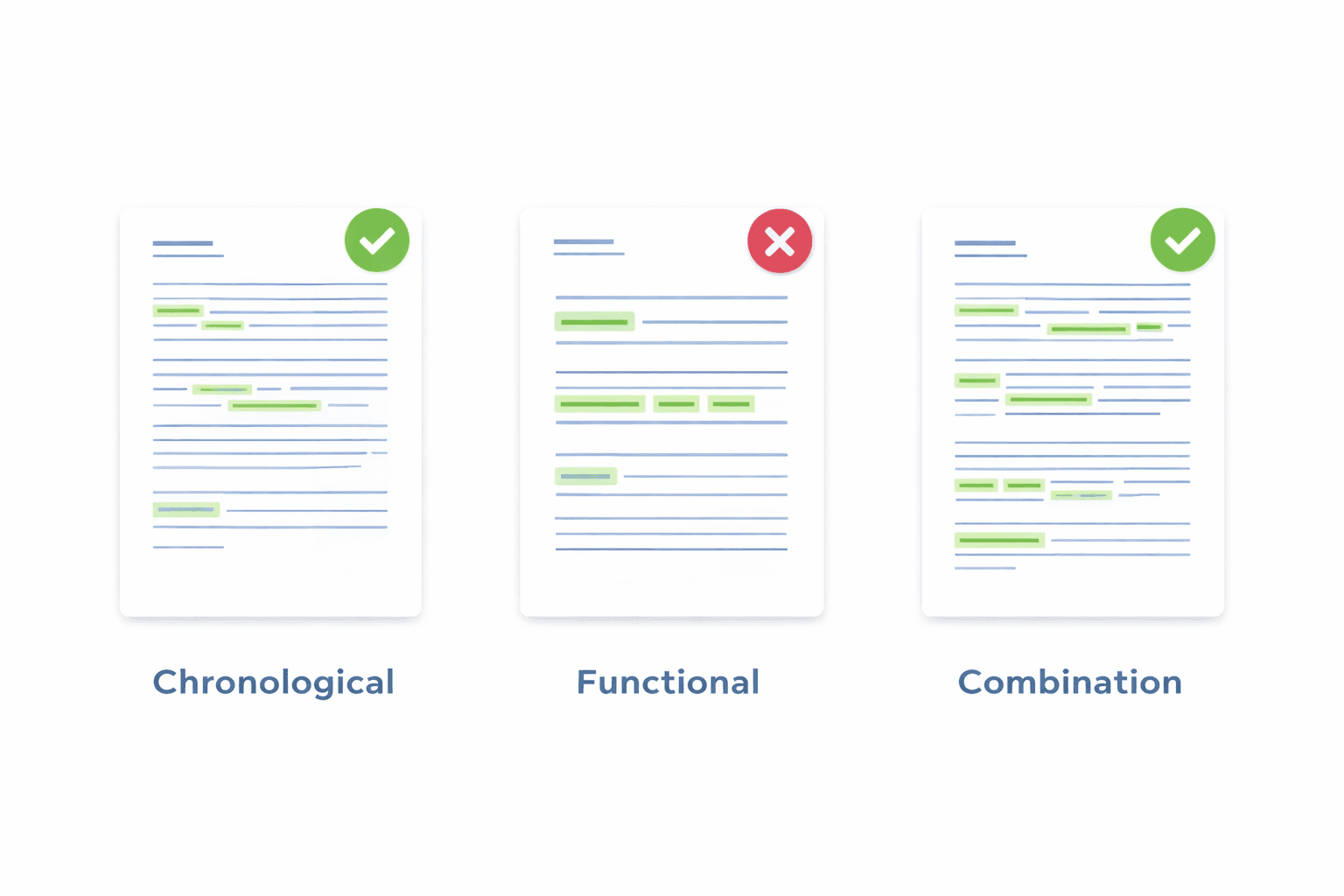
Best Resume Format 2026: Choose the Right Format for YOUR Career Stage
"Which resume format should I use?" is one of the most common questions job seekers ask. And the answer isn't one-size-fits-all.
The best format for a recent graduate is different from the best format for a career changer, which is different from the best format for a senior executive. Using the wrong format can hide your strengths and highlight your weaknesses.
This comprehensive guide helps you choose the right format based on YOUR specific situation:
- Career stage (entry-level, mid-career, senior, executive)
- Career situation (gaps, promotions, career change, industry switch)
- Employment history (consistent vs varied)
- Target role (what you're applying for)
You'll learn:
- The 3 main resume formats (chronological, functional, combination)
- Which format for YOUR career stage and situation
- Format decision tree (answer 5 questions, get your format)
- Real examples for each format type
- When to break the rules (and when not to)

The 3 Resume Formats Explained (What They Actually Are)
Before choosing, you need to understand what each format actually is and how it works.
Format #1: Chronological (Reverse Chronological)
Structure:
Contact Information Professional Summary (optional) Work Experience (most recent first) Job Title | Company | Dates • Achievement bullet 1 • Achievement bullet 2 • Achievement bullet 3 Skills Education Certifications
What it emphasizes: Your work history, career progression, and employment timeline
What it de-emphasizes: Skills that aren't tied to specific jobs, unrelated early career experience
Visual flow: Recruiter sees your most recent role first, then works backward through your history
ATS compatibility: 94% pass rate (best for ATS)
Format #2: Functional (Skills-Based)
Structure:
Contact Information Skills & Accomplishments (organized by skill category) Leadership & Management • Achievement 1 • Achievement 2 Technical Expertise • Achievement 3 • Achievement 4 Work History (brief - just titles, companies, dates) Education
What it emphasizes: Your skills and what you can DO, regardless of where/when you did it
What it de-emphasizes: Employment timeline, job-hopping, gaps, inconsistent career path
Visual flow: Recruiter sees your capabilities first, employment history second
ATS compatibility: 12% pass rate (fails most ATS - use with caution)
Format #3: Combination/Hybrid
Structure:
Contact Information Professional Summary with Key Skills Core Competencies / Key Skills (brief list) Work Experience (chronological order) Job Title | Company | Dates • Achievement bullets Education Additional Skills (detailed technical skills if applicable)
What it emphasizes: Both your skills AND your work history
What it de-emphasizes: Nothing specific - it's balanced
Visual flow: Recruiter sees your top skills immediately, then reads chronological history with context
ATS compatibility: 78% pass rate (acceptable for ATS)
Format Selection by Career Stage
Entry-Level / Recent Graduate (0-2 Years Experience)
Best Format: Chronological OR Combination
Why Chronological Works:
- Shows your degree and education prominently (move Education section higher)
- Internships and part-time work displayed clearly
- Clean, professional, expected format
- Easy for recruiters to verify your limited experience
Why Combination Also Works:
- Highlights relevant coursework and skills upfront
- Compensates for thin work history with strong skills section
- Shows you understand what employers want (skills-first mindset)
Format structure for entry-level:
Contact Information Education (MOVE THIS UP - it's your strongest credential) Degree | University | Graduation Date Relevant Coursework: [List 4-6 courses relevant to target job] GPA: 3.5/4.0 (if 3.5+, otherwise omit) Skills • List all relevant technical and soft skills • Include tools, software, methodologies learned Work Experience (internships, part-time, volunteer) Focus on achievements, not just duties Quantify when possible (even small numbers) Projects or Certifications (if relevant)
Example bullet points for entry-level:
Marketing Intern | TechCorp | 06/2025 - 08/2025 • Managed social media campaign reaching 50,000+ users, increasing engagement by 23% • Conducted market research survey with 200+ respondents, presented findings to marketing team • Created 15+ email marketing templates using Mailchimp, improving open rate from 18% to 24%
Key tip for entry-level: Include relevant academic projects if work experience is limited. Treat them like job entries with achievements and results.
Mid-Career Professional (3-10 Years Experience)
Best Format: Chronological
Why Chronological is Optimal:
- You have a solid work history to showcase
- Career progression (promotions, growing responsibilities) is visible
- Standard format matches recruiter expectations for experienced professionals
- ATS compatibility is highest (94% pass rate)
When to Use Combination Instead:
- You're switching industries (need to emphasize transferable skills)
- Your job titles don't accurately reflect your responsibilities
- You're targeting technical roles where specific skills matter more than job titles
Format structure for mid-career:
Contact Information Professional Summary (2-3 sentences highlighting experience level and expertise) Work Experience (most recent 10 years, 3-4 jobs) Focus on accomplishments and quantified results 4-6 bullets per job Emphasize progression and increasing responsibility Skills (relevant to target role) Education (move to bottom unless from prestigious school or recent) Certifications (if relevant to role)
Example summary for mid-career:
Senior Marketing Manager with 7+ years driving digital growth for B2B SaaS companies. Proven track record of scaling customer acquisition from $2M to $15M annually while reducing CAC by 35%. Expert in demand generation, ABM strategy, and marketing automation.
Key tip for mid-career: Focus your resume on the most recent 10 years. Older experience can be summarized briefly or omitted if not relevant.
Senior Professional / Director Level (10-20 Years Experience)
Best Format: Chronological with Executive Summary
Why This Format Works:
- Demonstrates clear career progression to leadership
- Shows consistent upward mobility
- Executive summary immediately positions you as senior-level
- Detailed recent experience with summarized early career
Format structure for senior-level:
Contact Information Executive Summary (3-4 sentences emphasizing leadership and business impact) Professional Experience Recent 10 years: Detailed (current + previous 1-2 roles) 5-7 bullets focusing on strategic impact, team leadership, revenue/cost impact Earlier career: Summarized (just titles, companies, dates or brief mention) Core Competencies (optional - key leadership skills) Education Executive Education / Board Positions (if applicable)
Example executive summary:
VP of Engineering with 15+ years leading technical teams from 10 to 200+ engineers. Track record of scaling infrastructure to support 100M+ users while maintaining 99.99% uptime. Expert in engineering operations, cloud architecture, and building high-performing technical organizations. Led 3 successful IPO preparations from engineering perspective.
Key tip for senior-level: Each bullet should show LEADERSHIP and BUSINESS IMPACT, not just technical execution. Focus on "led", "built", "scaled", "grew" rather than "developed" or "created".
Executive / C-Level (20+ Years Experience)
Best Format: Executive Chronological (often 2 pages)
Format structure for executives:
Contact Information Executive Profile (4-5 sentences positioning your unique value) Core Competencies (6-8 strategic leadership areas) Professional Experience Current/Recent Role: Extensive detail (7-10 bullets) Previous 2-3 Leadership Roles: Moderate detail (5-7 bullets each) Early Career: One-line summary Board Positions / Advisory Roles (if applicable) Education Executive Education programs Board Certifications
Key differences for executive resumes:
- Focus on P&L responsibility, org size, strategic initiatives
- Board-ready language (governance, fiduciary, stakeholder)
- Every bullet should include business metrics ($M revenue, % growth, # of people)
- 2 pages is standard and expected (not 1 page)
Format Selection by Career Situation
Situation #1: Career Changer (Switching Industries or Functions)
Best Format: Combination
Why Combination Works for Career Change:
- Highlights transferable skills BEFORE recruiter sees unrelated job titles
- Allows you to frame experience in terms of target industry
- Connects disparate experiences through common skills
Combination format structure for career changers:
Contact Information Professional Summary (explicitly state the career change and bridge to new field) Example: "Marketing professional transitioning to UX design, leveraging 5+ years of customer research and user behavior analysis..." Relevant Skills & Competencies (skills that transfer to new field) • Group by relevance to target role • Use terminology from target industry Professional Experience (chronological, but frame achievements through new lens) • Rewrite bullets to emphasize transferable skills • Highlight projects relevant to new field • Quantify impact in ways that matter to new industry Education & Relevant Training • Include bootcamps, certifications, courses for new field • Place higher if recent and relevant
Example for teacher → corporate trainer transition:
Relevant Skills & Competencies • Instructional Design: Curriculum development for diverse learning styles • Presentation & Facilitation: 500+ hours training 30-person groups • Assessment & Measurement: Designed evaluation frameworks, tracked skill improvement • Learning Management Systems: Proficient in Canvas, Google Classroom, Articulate Professional Experience High School Math Teacher | Lincoln High School | 2019-2025 • Designed and delivered 200+ hours of curriculum to 150+ students annually, achieving 95% proficiency rate (district avg: 78%) • Trained 15+ new teachers in instructional best practices and classroom management • Developed assessment framework adopted district-wide, measuring student progress across 12 competency areas
Key strategy: Translate your previous industry's language into your target industry's language. "Taught students" becomes "trained participants", "classroom" becomes "learning environment", etc.
Situation #2: Employment Gaps (6+ Months Between Jobs)
Best Format: Combination (mild gaps) or Chronological with explanation (short gaps)
For gaps under 1 year: Use chronological, include brief explanation if gap is visible
Software Engineer | TechCorp | 2020-2023 [Sabbatical: 6-month career break for family care] Senior Developer | StartupXYZ | 2024-Present
For gaps over 1 year: Use combination format to emphasize current skills
Skills & Current Expertise (what you can do NOW) • Demonstrate skills are up-to-date • Include recent courses, certifications, projects during gap Professional Experience • Focus on accomplishments, not dates • Use years only (2020-2023) not months if it helps
What to include during gaps:
- Freelance/consulting work (frame as "Independent Consultant")
- Volunteer work with real responsibilities (treat like a job entry)
- Professional development (courses, certifications, bootcamps)
- Personal projects with tangible outcomes (built app, launched website, etc.)
Example for gap period:
Independent Consultant | Self-Employed | 2023-2024 • Provided marketing strategy consulting to 5 small businesses • Developed social media campaigns achieving average 40% engagement increase • Completed Google Analytics certification and HubSpot Inbound Marketing course
Key tip: Never leave gaps unexplained if they're longer than 6 months. Address proactively to avoid speculation.
Situation #3: Frequent Job Changes (4+ Jobs in 5 Years)
Best Format: Chronological (yes, counterintuitively)
Why Chronological Works:
- Trying to hide job-hopping makes you look dishonest
- Chronological lets you EXPLAIN each move through achievements
- Shows growth even if tenure was short
How to handle job-hopping in chronological format:
Strategy #1: Group related roles at same company
TechCorp | 2022-2024 (2 years total) Senior Developer | 2023-2024 • [Achievements showing promotion earned through performance] Developer | 2022-2023 • [Achievements that led to promotion]
Strategy #2: Emphasize significant achievements at each role
Each job should have 2-3 bullets showing: • What you accomplished (proving the move was worthwhile) • Why you moved (growth, new challenges, company changes) • Value you added despite short tenure
Strategy #3: Include brief context for contract/temporary roles
Senior Consultant | Consulting Firm | 2023-2024 (Contract) • Completed 6-month digital transformation project for Fortune 500 client • [Achievements]
Red flags to avoid:
- Don't omit jobs (shows dishonesty, creates unexplained gaps)
- Don't use years-only to hide short tenures (2023-2024 looks like 2 years but might be 3 months)
- Don't make excuses ("company had issues") - just show your value
Situation #4: Returning to Workforce After Extended Break (2+ Years)
Best Format: Combination
Why: You need to prove skills are current despite time away
Combination structure for workforce returners:
Contact Information Professional Summary • Focus on total years of experience (not recent gap) • Example: "Marketing professional with 10+ years experience in B2B tech, returning to workforce after 3-year family caregiving period" Current Skills & Qualifications • Recent courses, certifications, volunteer work • Demonstrate you're up-to-date on industry changes • Technologies/methodologies learned during break Professional Experience [Recent Work Experience - before break] [Earlier Experience - summarized] Education & Recent Professional Development (highlight recent learning)
Key strategy: Create a "bridge" showing you stayed engaged:
Recent Professional Development: • Completed Google Digital Marketing Certification (2024) • Volunteer Social Media Manager, Local Nonprofit (2023-2024) - Managed social channels, grew following by 45% • Freelance Content Writer, 10+ published articles on industry topics (2022-2024)
The Resume Format Decision Tree
Answer these 5 questions to determine YOUR best format:
Question 1: How many years of relevant work experience do you have?
- 0-2 years: Go to Question 2
- 3+ years in same field: Use Chronological (unless Questions 3-5 change this)
- 3+ years, but switching fields: Use Combination
Question 2 (if 0-2 years): Are you a recent graduate?
- Yes, graduated within last year: Use Chronological with Education section near top
- No, but little experience: Use Combination to emphasize skills over thin work history
Question 3: Do you have employment gaps longer than 6 months?
- No gaps: Stick with Chronological
- Gaps under 1 year: Chronological with brief explanation
- Gaps over 1 year: Consider Combination to de-emphasize timeline
Question 4: Are you making a career change (industry or function)?
- No, staying in same field: Stick with Chronological
- Yes, changing careers: Use Combination to highlight transferable skills
Question 5: What industry are you targeting?
- Traditional industries (finance, law, healthcare): Always use Chronological
- Tech, startups, creative (non-design): Combination acceptable if it highlights relevant skills
- Creative/design roles: Portfolio matters more than resume format
Format Examples: See What Each Format Looks Like
Example 1: Chronological Format (Mid-Career Professional)
SARAH CHEN san francisco, ca | [email protected] | linkedin.com/in/sarahchen | 415-555-0123 PROFESSIONAL SUMMARY Product Manager with 6+ years driving B2B SaaS products from concept to scale. Track record of launching products that grew from $0 to $8M ARR. Expert in customer discovery, roadmap prioritization, and cross-functional team leadership. PROFESSIONAL EXPERIENCE Senior Product Manager | CloudTech Solutions | San Francisco, CA | 2022 - Present • Led product strategy for enterprise analytics platform, growing revenue from $2M to $8M ARR in 18 months • Shipped 12+ major features based on customer interviews with 200+ users, achieving 92% feature adoption rate • Reduced customer churn by 24% through data-driven prioritization of top pain points • Managed roadmap and backlog for cross-functional team of 15 (engineering, design, data science) • Presented quarterly business reviews to C-suite and board, securing $3M additional product investment Product Manager | StartupXYZ | San Francisco, CA | 2020 - 2022 • First product hire; built product function from ground up including roadmap, processes, and metrics • Launched MVP in 4 months, acquired 50 beta customers, validated product-market fit • Grew user base from 50 to 500+ customers, maintaining 4.5/5 average satisfaction score • Conducted 100+ customer interviews, synthesized into product strategy adopted company-wide • Collaborated with sales and marketing to create positioning that increased demo-to-close rate by 35% Associate Product Manager | TechCorp | Mountain View, CA | 2019 - 2020 • Managed feature releases for consumer mobile app with 2M+ monthly active users • Increased engagement by 18% through A/B testing and iterative feature improvements • Partnered with engineering team of 8 to deliver 6 feature releases on time and within scope SKILLS Product Management: Roadmap planning, Stakeholder management, A/B testing, User research Technical: SQL, Python, Jira, Figma, Google Analytics, Mixpanel, Amplitude Business: P&L management, Pricing strategy, Go-to-market planning EDUCATION Bachelor of Science, Computer Science | Stanford University | 2019 GPA: 3.7/4.0 CERTIFICATIONS Pragmatic Institute Certified (PMC-VI) | 2021
Why this works: Clear progression, quantified achievements, recent experience detailed, skills relevant to role.
Example 2: Combination Format (Career Changer)
MARCUS JOHNSON austin, tx | [email protected] | | 512-555-0199 PROFESSIONAL SUMMARY Sales professional transitioning to Account Management, bringing 5+ years of relationship-building and customer success experience. Track record of maintaining 95%+ client retention and growing accounts by average 40% year-over-year. Seeking to leverage consultative sales approach in strategic account management role. KEY SKILLS & COMPETENCIES Client Relationship Management • Managed portfolio of 50+ B2B accounts with average contract value $50K • Achieved 95% renewal rate over 3 years (company average: 78%) • Grew existing accounts by average 40% annually through upselling and cross-selling Customer Success & Problem-Solving • Served as trusted advisor to C-level executives at mid-market companies • Reduced client churn by 30% through proactive issue identification and resolution • Conducted quarterly business reviews, identifying expansion opportunities Strategic Communication & Collaboration • Collaborated cross-functionally with product, engineering, and support teams to resolve client issues • Presented to groups of 50+ at industry conferences and client events • Created client success playbooks adopted across 20-person sales organization PROFESSIONAL EXPERIENCE Senior Sales Executive | SaaS Solutions Inc | Austin, TX | 2021 - Present • Manage 50+ B2B client accounts totaling $2.5M in annual revenue • Maintain 95% client retention rate through proactive relationship management and issue resolution • Expanded 15+ accounts by average $30K annually through consultative needs analysis • Coordinate with Customer Success team to ensure seamless onboarding and ongoing support • Recognized as "Top Account Manager" 3 quarters in a row for retention and growth metrics Sales Associate | TechVendor Corp | Austin, TX | 2019 - 2021 • Built relationships with 30+ new clients, closing average deal size of $40K • Exceeded quota by 25% in first year through consultative selling approach • Partnered with Account Management team on strategic accounts, learning post-sale lifecycle EDUCATION & PROFESSIONAL DEVELOPMENT Bachelor of Business Administration, Marketing | University of Texas at Austin | 2019 Customer Success Management Certification | Gainsight | 2023 Strategic Account Management Course | Sandler Training | 2024 TECHNICAL SKILLS CRM: Salesforce, HubSpot | Analysis: Excel, Tableau | Collaboration: Slack, Asana, Confluence
Why this works for career changers: Skills section shows he's already DOING account management work, professional experience reframes sales role through account management lens.
Example 3: Functional Format (DON'T Use This - Shown for Comparison)
JENNIFER MARTINEZ [email protected] | 303-555-0177 SKILLS & ACCOMPLISHMENTS Leadership & Team Management • Managed teams of 5-15 people across multiple projects • Improved team productivity by 30% through process improvements • Mentored junior staff members, 5 received promotions within 2 years Project Management • Delivered 20+ projects on time and under budget • Implemented agile methodology, reducing project timelines by 25% • Managed budgets totaling $5M+ across multiple initiatives Technical Expertise • Proficient in Python, Java, SQL, and React • Built scalable applications serving 100K+ users • Optimized database queries, improving performance by 40% WORK HISTORY Senior Software Engineer | TechCorp | 2021 - Present Software Engineer | StartupXYZ | 2019 - 2021 Junior Developer | SmallCompany | 2018 - 2019 EDUCATION BS Computer Science | University of Colorado | 2018
Why this FAILS:
- No context for achievements (when? where? for whom?)
- Work history provides no detail - just titles and dates
- Looks like you're hiding something (gaps? job-hopping? performance issues?)
- ATS pass rate only 12% - most systems can't parse this format correctly
- Recruiters assume you're using this format to hide weaknesses
Common Format Mistakes That Cost You Interviews
Mistake #1: Using Creative Formats for Corporate Jobs
The mistake: Using 2-column layouts, infographic-style resumes, or creative templates from Canva for traditional corporate positions.
Why it fails:
- ATS systems can't parse multi-column layouts (content gets scrambled)
- Corporate recruiters expect traditional format - creative format looks unprofessional
- Valuable space wasted on graphics instead of accomplishments
Pass rate: Creative formats = 18% ATS pass rate for corporate jobs
The fix: Save creative formats for design portfolios only. Use simple, single-column chronological for corporate positions.
Mistake #2: Choosing Format to Hide Weaknesses
The mistake: Using functional format specifically to hide job-hopping, gaps, or lack of progression.
Why it fails:
- Recruiters know why people use functional format - raises immediate red flags
- Trying to hide issues makes them MORE suspicious, not less
- When they discover the issues anyway (during interview or background check), trust is destroyed
The fix: Use chronological format and ADDRESS the issue directly with positive framing (gaps explained, job changes show growth, etc.).
Mistake #3: Mixing Formats Inconsistently
The mistake: Starting with skills-first combination format, then switching to pure chronological halfway through, or listing some jobs with details and others without explanation.
Why it fails:
- Looks sloppy and unpolished
- Confuses both ATS and human reviewers
- Makes it hard to follow your career story
The fix: Choose ONE format and stick with it throughout entire resume. Every job entry should follow same structure.
Mistake #4: Wrong Format for Your Career Stage
The mistake: Entry-level candidates using executive format with long summary, or senior professionals using student-style resume with education at top.
Why it fails:
- Signals you don't understand professional norms
- Mismatches recruiter expectations for your level
- Wastes valuable space on wrong elements
The fix: Use format appropriate for YOUR career stage (see career stage sections above).
How to Test if Your Format is Working
Test #1: The Plain Text Test
How to do it:
- Copy ALL text from your resume
- Paste into plain text editor (Notepad, TextEdit)
- Read the resulting text top-to-bottom
Pass criteria:
- Content appears in logical order (contact info → summary → experience → skills → education)
- No sections are missing or jumbled
- Dates and company names align with correct jobs
- Everything is readable (no garbled formatting)
Why this matters: This simulates how ATS reads your resume. If plain text is jumbled, ATS can't parse it correctly.
Test #2: The 6-Second Scan Test
How to do it:
- Give your resume to someone unfamiliar with your background
- Let them look at it for ONLY 6 seconds
- Take it away
- Ask: "What do you remember? What stands out?"
Pass criteria:
- They can name your current/most recent role
- They can recall 1-2 key accomplishments or skills
- They understand your career level (entry, mid, senior)
Why this matters: Recruiters spend average 6-7 seconds on initial resume scan. If key info doesn't jump out, you're rejected.
Test #3: The ATS Checker Test
How to do it:
- Upload your resume to free ATS checker tool (like CareerCraft's free ATS resume checker)
- Review the score and identified issues
- Check if contact info, work history, skills were extracted correctly
Pass criteria:
- Score of 70+ (out of 100)
- All sections extracted accurately
- No parsing errors or missing information
- Dates and job titles in correct order
Why this matters: Directly tests ATS compatibility - if tool can't read it, neither can company ATS systems.
Test #4: The Response Rate Test
How to do it:
- Track how many applications you submit with current format
- Track how many responses/interviews you get
- Calculate response rate (responses ÷ applications × 100)
Pass criteria:
- Entry-level: 5-10% response rate is normal
- Mid-career: 10-20% response rate is normal
- Senior/Executive: 20-30% response rate is normal
What to do if below target:
- Below 5% (any level): Format is likely the problem - switch to chronological if not already using it
- 5-10% (mid-career): Format might not be emphasizing right information - try combination format
- Test new format with next 20 applications and compare results
Why this matters: Real-world results are the ultimate test. Format that looks good but doesn't get responses needs to change.
Quick Format Decision Flowchart
START HERE ↓ [Do you have 3+ years relevant experience?] ↓ ↓ YES NO ↓ ↓ [Are you changing careers?] [Are you a recent graduate?] ↓ ↓ ↓ ↓ YES NO YES NO ↓ ↓ ↓ ↓ COMBINATION [Any gaps 1+ year?] CHRONOLOGICAL COMBINATION ↓ ↓ (Education (Skills-first) YES NO at top) ↓ ↓ COMBINATION CHRONOLOGICAL FINAL CHECK: ↓ [Is your target industry traditional (finance, law, healthcare)?] ↓ ↓ YES NO ↓ ↓ CHRONOLOGICAL Your choice above (always for is fine traditional sectors)
Final Format Recommendations Summary
| Your Situation | Best Format | Why | ATS Pass Rate |
|---|---|---|---|
| Entry-level (0-2 years) | Chronological with Education high | Shows degree prominently, clear structure | 94% |
| Mid-career (3-10 years) | Chronological | Highlights progression, standard format | 94% |
| Senior/Executive (10+ years) | Chronological with Executive Summary | Shows leadership trajectory, business impact | 94% |
| Career changer | Combination | Emphasizes transferable skills first | 78% |
| Employment gaps (1+ year) | Combination | De-emphasizes timeline, highlights current skills | 78% |
| Job-hopping (4+ jobs in 5 years) | Chronological | Shows value at each role, honesty builds trust | 94% |
| Returning to workforce (2+ years off) | Combination | Proves skills are current despite gap | 78% |
| Traditional industry (finance, law) | Chronological ONLY | Industry expects conservative format | 96% |
| Tech/startup | Chronological or Combination | Both acceptable in tech culture | 94% / 88% |
Conclusion: The Right Format Opens Doors
Your resume format is not just about aesthetics - it's about strategic positioning.
The right format:
- Passes ATS screening (gets you IN the door)
- Highlights your strongest credentials FIRST (grabs recruiter attention in 6 seconds)
- Matches your career stage and situation (shows you understand professional norms)
- Makes it easy for recruiters to say YES (clear, logical, readable)
Key takeaways:
- Default to chronological - it works for 80% of situations and has highest ATS pass rate (94%)
- Use combination ONLY when you need to emphasize skills over timeline - career change, gaps, returning to workforce
- Never use functional format - 12% ATS pass rate and raises red flags with recruiters
- Match format to your career stage - entry-level, mid-career, and executive resumes have different structures
- Traditional industries require traditional format - finance, law, healthcare expect chronological
- Test your format - use plain text test, ATS checker, and track response rates
Action steps:
- Use the decision tree in this guide to identify YOUR best format
- Review the example for your situation
- Restructure your resume using the appropriate format
- Run it through ATS checker to verify compatibility
- Test with next 20 applications and track results
Remember: The "best" format is the one that gets YOU interviews. If you're not getting response rate you want, the format is likely the issue. Don't be afraid to test different approaches until you find what works for your specific situation.
Your format choice could be the difference between getting lost in the ATS black hole and landing your next interview. Choose wisely.
Need help optimizing your resume format for ATS? Use CareerCraft's free ATS resume checker to test your current format and get a detailed compatibility score with specific improvement recommendations.
Ready to optimize your resume?
Check My ATS Score Free
Check My ATS Score Free