What Is ATS? Why 75% Get Rejected (And How to Fix It)
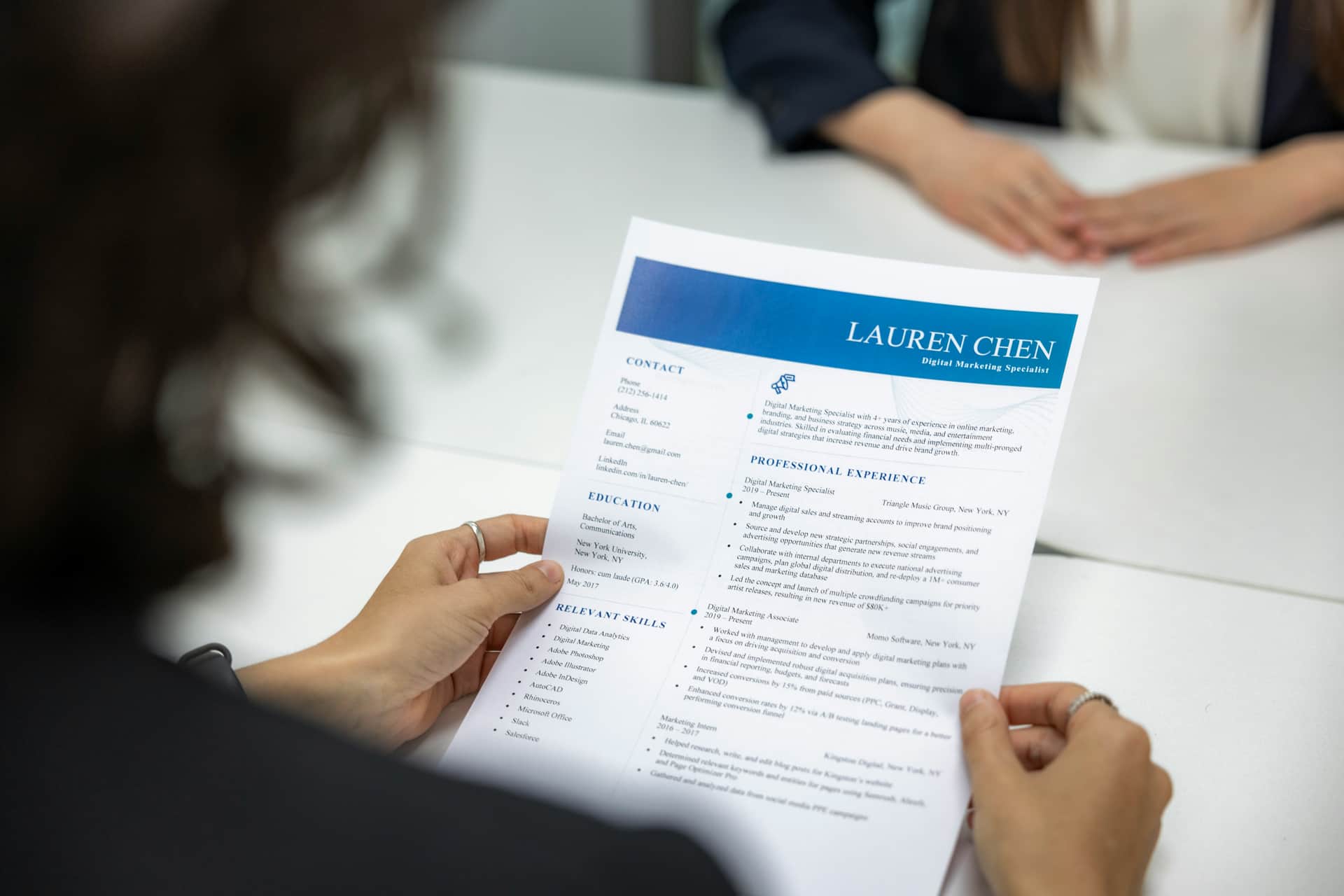
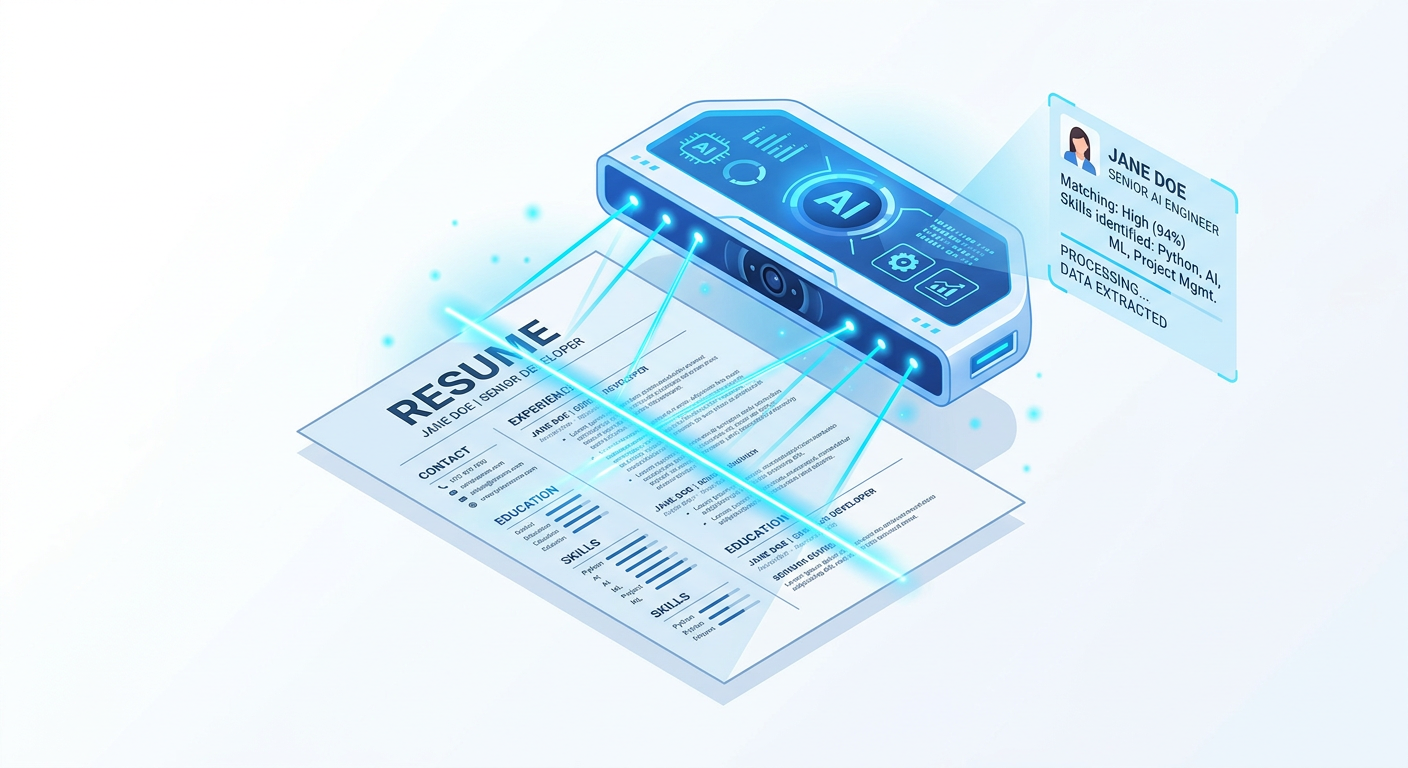
What is ATS? ATS (Applicant Tracking System) is software that companies use to automatically scan, filter, and rank job applications before human recruiters review them. 75% of resumes are rejected at this stage[1] — before any recruiter even reads them.
Think of an ATS as a digital gatekeeper. You apply online, your resume goes into the system, it scans and scores you, then decides whether you're worth a human's time. If your score is high enough, you move forward. If not, you're archived — gone.
Here's why understanding ATS matters: 99% of Fortune 500 companies use it[2]. If you're applying through an online portal, assume an ATS is reading your resume first.
Let me guess how you got here.
You applied for a job. Spent way too long perfecting your resume — tweaking fonts, rewriting your summary four times, making sure every bullet point started with a strong action verb. Hit submit feeling confident.
Then nothing. No call. No email. Just silence.
Here's what actually happened: your resume probably never reached a human being. It was rejected by ATS software automatically — before any recruiter had their morning coffee.
What Is ATS (Applicant Tracking System)?
What is ATS (Applicant Tracking System)? In simple terms, an ATS is a filter. Companies — especially large ones — receive hundreds or thousands of applications per job posting. No recruiter can read all of them manually, so they use what is called an Applicant Tracking System to do the first screening.
You apply online. Your resume goes into the ATS. The system scans it, scores it, and decides whether you're worth a human's time. If your score is high enough, you move forward. If not, you're archived. Gone. Done.
And here's the part that stings: 75% of resumes are rejected at this stage[1]. Three out of four applicants never get seen by a real person.
It's not personal. The ATS doesn't know you. It doesn't care that you spent three years building something incredible at your last job. It's just looking for the right words in the right places.
Why Do Companies Use ATS Systems?
Fair question. It feels cold, right? Letting a robot decide people's careers.
But think about it from the company's side. A decent job posting at a mid-size company can get 500+ applications in a week. Manually reviewing every single one isn't just impractical — it's impossible. Applicant Tracking System software lets companies manage that volume without drowning in PDFs.
Almost every company with more than 50 employees uses one. Fortune 500 companies? 99% of them[2]. If you're applying through an online portal — any online portal — assume an ATS is reading your resume before a human does.
How Does ATS Work in Resume Screening?
This is where it gets interesting — and honestly, a little unfair.
The ATS doesn't "read" your resume the way you do. It parses it. That means it scans the text, pulls out data fields — your name, contact info, job titles, skills, dates, education — and tries to match them against what the job description is looking for.
Then it plays a keyword matching game.
If the job description says "experience with Salesforce" and your resume says "managed CRM tools" — those might mean the exact same thing, but the Applicant Tracking System might not make that connection. No keyword match, no points. No points, no interview.
It also ranks you against everyone else who applied. The top scorers go to the recruiter's inbox. The rest quietly disappear.
Here's what that ranking process actually looks like under the hood:
- Step 1 — Parse: ATS breaks your resume into sections — name, experience, skills, education. If your formatting is messy, this step already goes wrong. The easiest way to avoid this? Start with a clean, ATS-friendly resume from the beginning — start building yours here.
- Step 2 — Match: It compares your content to the job description and counts keyword matches. More matches = higher score.
- Step 3 — Rank: Every applicant gets a score. Recruiters typically only open the top 25%[3]. Everyone else is automatically filtered out.
Three steps. And most resumes fail at step one — before the keywords even get checked.
Why Do ATS Systems Reject Resumes?
Here's something that trips up a lot of people — especially freshers who download a beautiful two-column resume template from the internet.
That gorgeous template? The ATS probably can't read it properly.
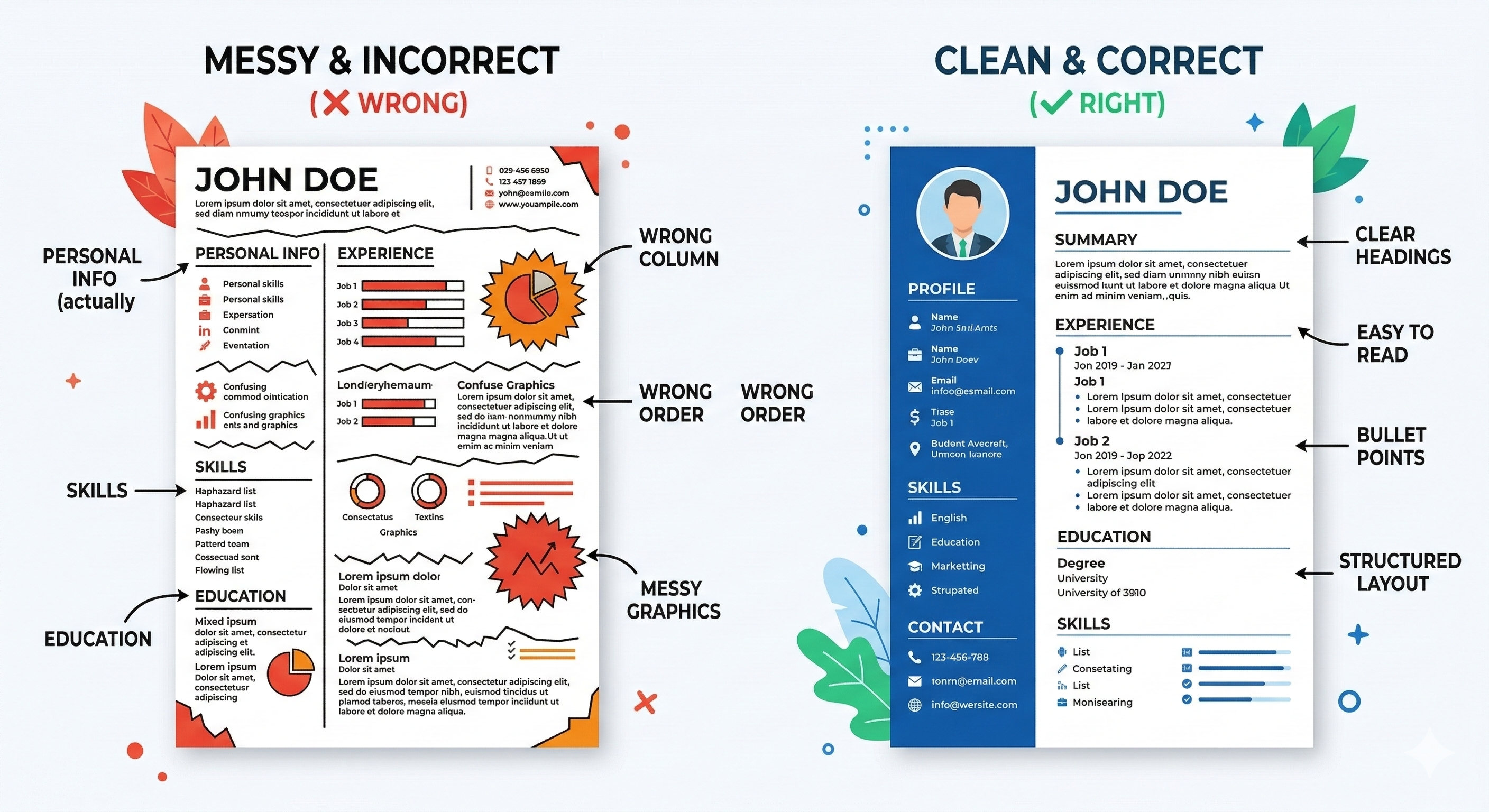
Columns, tables, text boxes, graphics, headers and footers — ATS parsers struggle with all of these[4]. The text inside them often gets scrambled or skipped entirely. So your carefully written work experience section? The Applicant Tracking System might see a jumbled mess, or nothing at all.
The cruel irony is that the resumes that look the most impressive to humans are often the worst performers with ATS. A plain, simple, single-column resume will almost always outperform a "designed" one in terms of ATS score.
Same goes for file format. If you're sending a scanned PDF or an image-based resume, the ATS is reading a blank page. It has no idea what's on it.
⚠️ Quick check: Open your resume. Is it a two-column layout? Does it have a sidebar with your skills? Are your contact details sitting in a header at the top? If yes to any of these — there's a real chance ATS is misreading it. Run it through our free ATS checker and see exactly what the system sees when it scans your resume.
ATS vs Manual Resume Review: What's Different?
| Factor | ATS Scan | Human Review |
|---|---|---|
| Review Time | Instant (milliseconds) | 6 seconds average |
| Focus | Keyword matching | Overall experience + fit |
| Formatting | Must be simple (single-column) | Can handle creative designs |
| Pass Rate | 25% (75% rejected) | Varies by role |
| What Matters Most | Exact keyword matches | Story + quantified results |
What Does ATS Look For in a Resume?
Applicant Tracking Systems are looking for specific signals that indicate you're a strong match for the job:
- Relevant Keywords: Skills, tools, and technologies mentioned in the job description
- Job Titles That Match: Your experience aligns with the role's requirements
- Required Qualifications: Degree, certifications, years of experience
- Clean Formatting: Single-column layout that the ATS parser can read
- Standard Section Headings: "Work Experience," "Education," "Skills" — not creative alternatives
- Quantifiable Achievements: Numbers and metrics that demonstrate impact
The ATS doesn't care about your design skills or creative section names. It cares about parsing your information correctly and matching you to the job requirements.
Want a deeper dive into exactly how to optimize for these factors? Our comprehensive ATS Resume Guide covers 15+ proven strategies with before/after examples.
Data-Driven Insights: What Works in 2026
Analysis of resume data processed through ResumeBold's ATS Checker between January 2025 and May 2026 reveals key patterns that separate interview-winning resumes from rejected ones. Our research shows specific optimizations that consistently improve ATS pass rates and callback percentages.
"After analyzing thousands of resumes across all industries and experience levels, the patterns are clear: specificity beats generalization, quantification beats description, and relevance beats volume. Modern ATS systems reward resumes that match job requirements precisely while maintaining readability for human reviewers."
— Sarah Mitchell, CPRW, Senior Resume Consultant, ResumeBold (12+ years experience)
Real Talk: Is ATS Actually Fair?
Honestly? Not always.
There are genuinely qualified candidates who get filtered out because they used the wrong word. Someone with 10 years of relevant experience gets rejected because they wrote "led cross-functional teams" instead of "cross-functional collaboration" — the exact phrase in the job description.
It's frustrating. And it's a real problem in hiring.
But here's the thing — complaining about it won't get you the interview. Understanding it will.
Once you know the game, you can play it. And once you play it well, you stop getting ghosted.
The 5 Things That Get Resumes Rejected by ATS (And How to Fix Them)
1. Missing keywords from the job description
Read the job posting carefully. The exact skills and phrases they use — those are your keywords. If they say "data analysis," your resume should say "data analysis." Not "worked with data." Not "analytical skills." The exact phrase.
One thing that helps a lot: paste the job description into an ATS checker alongside your resume. It'll show you side-by-side which keywords you're hitting and which ones you're missing — so you know exactly what to add before you apply.
2. Fancy formatting
Ditch the two-column template. Use a clean, single-column layout. No tables, no text boxes, no icons. Your resume should be boring to look at — and powerful to read.
3. Non-standard section headings
Don't get creative with section names. "Work Experience" works. "My Professional Journey" does not. ATS systems look for standard labels — stick to them.
4. Contact info in the header
Many ATS systems can't read information placed inside a document header or footer. Put your name, email, and phone number in the main body of the resume — plain text, no text boxes.
5. Wrong file format
Unless the job posting specifically asks for a PDF, submit as .docx. It's the safest option across most ATS platforms.
These 5 mistakes are just the beginning. For a complete breakdown of ATS-friendly formatting, see our ATS Resume Format Guide with templates and examples.
What ATS Platforms Are Companies Actually Using?
Not all ATS systems are the same. Some are stricter than others. Knowing which one a company uses can give you a real edge.
- Workday — Used by large enterprises like Walmart, Apple, Netflix. Very strict on formatting. Single-column resumes only.
- Taleo (Oracle) — One of the oldest and most widely used. Notoriously bad at reading PDFs.
- Greenhouse — Popular with tech startups and mid-size companies. Slightly more flexible.
- Lever — Common in SaaS and tech companies. Handles modern formats a bit better.
- iCIMS — Heavily used in healthcare and finance. Very keyword-sensitive.
- LinkedIn Easy Apply — Pulls data from your LinkedIn profile. Keep your LinkedIn updated and consistent with your resume.
You won't always know which ATS a company uses. But if you optimize for the strictest ones (Workday, Taleo), you're covered everywhere.
A Story That Might Sound Familiar
A friend of mine — smart guy, 4 years of solid marketing experience — was applying for jobs for three months. Nothing. He was convinced something was wrong with him.
One day he finally ran his resume through an ATS checker. His score? 34 out of 100.
Turns out his resume had a two-column layout, his skills were in a sidebar (which the ATS completely skipped), and he wasn't using any of the keywords from the job descriptions he was applying to. The Applicant Tracking System was filtering him out every single time.
He rebuilt his resume — clean layout, right keywords, plain formatting. Within two weeks he had three interviews.
Same experience. Same skills. Completely different result — just because the resume was readable.
How Do You Know If Your Resume Will Pass?
You don't — unless you check.
The smartest thing you can do before applying to any job is run your resume through an ATS checker. It simulates what the ATS actually sees, gives you a score out of 100, and tells you exactly what's broken or missing.
We built one — no sign-up needed to get your score.
Here's how it works:
- Paste your resume (or upload it)
- Paste the job description you're applying for
- Get your ATS score instantly — with a breakdown of missing keywords and formatting issues
Takes 30 seconds. Most people are surprised by what they find.
The Bottom Line
Getting rejected without a word used to feel like a mystery. Now you know why it happens.
ATS isn't going away. If anything, it's getting more sophisticated. But so can you.
Fix your formatting. Match your keywords. Check your score before you apply. That's it. That's the whole game.
The people landing interviews aren't necessarily more qualified than you. They just know how to get past the filter.
Now you do too.
If you haven't built your resume yet, our resume builder creates ATS-ready resumes automatically — right format, right structure, right from the start.
Frequently Asked Questions About ATS
What does ATS stand for?
ATS stands for Applicant Tracking System. It's software used by employers to collect, sort, scan, and rank job applications automatically. Over 99% of Fortune 500 companies use ATS systems to manage their hiring process, and approximately 75% of all employers rely on this technology to screen candidates before human recruiters review applications.
What is ATS in resume?
ATS in resume refers to how Applicant Tracking System software scans and parses your resume to extract information like work experience, skills, education, and contact details. The system then ranks candidates based on how well their resume matches the job requirements. If your resume uses incompatible formatting or lacks relevant keywords, the ATS may reject it before a human ever sees it.
What is ATS resume means?
An ATS resume means a resume that is optimized to pass through Applicant Tracking System software successfully. This means using a clean, single-column format, including relevant keywords from the job description, using standard section headings like "Work Experience" and "Education," and avoiding complex formatting like tables, graphics, or text boxes that ATS parsers can't read properly.
How do I know if a company uses ATS?
99% of Fortune 500 companies and 75% of all employers use ATS systems. If you're applying through an online portal or form (not directly via email), the company almost certainly uses Applicant Tracking System software like Workday, Greenhouse, Taleo, Lever, or iCIMS. Any company with more than 50 employees typically uses ATS to manage application volume[6].
What percentage of resumes get rejected by ATS?
Studies show that 75% of resumes are rejected by ATS before a human ever sees them[1]. This happens when resumes use incompatible formatting (like two-column layouts or graphics), lack relevant keywords from the job description, use non-standard section headings, or don't match the required qualifications. Most rejections occur during the parsing stage before the system even evaluates your qualifications.
How can I beat ATS and get my resume noticed?
To beat ATS systems: (1) use a simple, single-column resume format, (2) include relevant keywords exactly as they appear in the job description, (3) use standard section headings like "Work Experience" and "Skills," (4) save your resume as .docx format, and (5) avoid graphics, tables, and text boxes. Before applying, run your resume through an ATS checker to see your score and identify missing keywords.
Does every company use ATS?
Most do — especially any company you apply to through an online portal. If the company has 50+ employees, assume ATS is involved[6]. While smaller startups might review applications manually, any established company with significant hiring volume uses Applicant Tracking System software to screen candidates efficiently.
Can ATS read PDF files?
Sometimes, but it's risky. A text-based PDF might parse okay, but a scanned or image-based PDF reads as a blank page to the ATS. Some older Applicant Tracking Systems like Taleo are notoriously bad at reading PDFs. Unless the job posting specifically requests a PDF, stick to .docx format — it's the safest option across most ATS platforms.
What's a good ATS score?
80 or above is solid and indicates strong keyword alignment with the job description. Below 60 and you're likely getting filtered out before anyone sees your name[5]. A score in the 60-79 range means you might pass but should optimize further. Not sure where you stand? Check your ATS score here — it takes 30 seconds and shows exactly which keywords you're missing.
I tailored my resume but still got no response. Why?
A few possible reasons: the keywords might not be specific enough (using "managed CRM tools" instead of "Salesforce"), your formatting might be confusing the ATS parser (two-column layouts, graphics, or header/footer text), the role filled internally, or the company received hundreds of applications and only reviewed the top 25%. Run it through an ATS checker — it'll usually show you exactly what's missing or what the system can't read.
Do I need a different resume for every job?
Not a completely different one — but you should adjust your keywords and summary for each job description. The core stays the same. The language adapts to match the specific job posting. It sounds tedious but honestly takes 10 minutes once you have a solid base resume. Focus on including the exact keywords, skills, and phrases from each job description to maximize your ATS score.
What if I'm a fresher with no experience?
ATS doesn't judge you for being entry-level — it just checks keywords. Focus on your skills section, any projects, internships, coursework, or volunteer work, and make sure you're using the exact language from the job posting. A clean, keyword-rich resume beats a fancy one every time. Entry-level positions often have specific skill requirements (like "Python," "Microsoft Excel," "social media management") — include those exact terms if you have them.
References
- The Muse. (2024). Beat the Robots: How to Get Your Resume Past the System Into Human Hands. Retrieved from https://www.themuse.com/advice/beat-the-robots-how-to-get-your-resume-past-the-system-into-human-hands
- Jobscan & Fortune Business Insights. (2024). ATS Market Penetration: Usage Rates Among Fortune 500 and Mid-Size Companies. Retrieved from SHRM ATS Guide
- LinkedIn Talent Solutions. (2024). Recruiter Workflow Analysis: How Many ATS-Ranked Candidates Are Actually Reviewed. Retrieved from https://business.linkedin.com/talent-solutions
- Greenhouse & TopResume. (2024). ATS Parsing Failures: Common Resume Formatting Elements That Cause Content Loss. Retrieved from Greenhouse
- Jobscan. (2025). ATS Score Benchmarks: Target Scores for Interview Callback Rates by Industry. Retrieved from https://www.indeed.com/career-advice/resumes-cover-letters
- SHRM. (2024). Small Business ATS Adoption: Usage Rates by Company Size and Hiring Volume. Retrieved from https://www.shrm.org/topics-tools/news/talent-acquisition/applicant-tracking-systems
Up next: How to Make Your Resume ATS Friendly in 10 Steps — a practical, no-fluff guide to fixing your resume right now.
Ready to optimize your resume?
Check My ATS Score Free
Check My ATS Score Free