Free ATS Resume Checker: Test Your Score in 60 Seconds
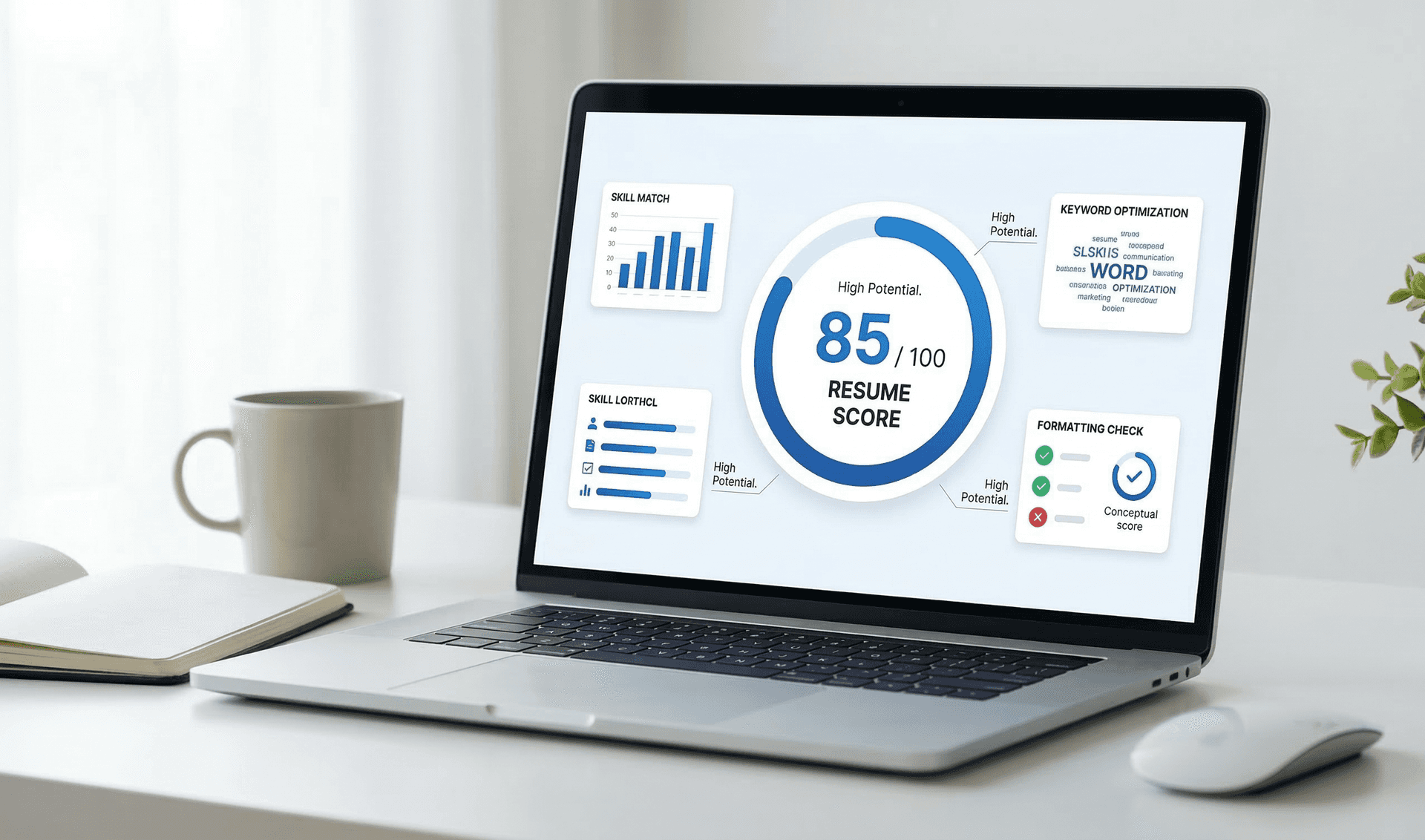
Free ATS Resume Checker: Test Your Resume Score in 60 Seconds
73% of resumes never reach human recruiters - they're filtered out by Applicant Tracking Systems (ATS) before anyone reads them. But how do you know if YOUR resume will pass?
An ATS resume checker scans your resume the same way real applicant tracking systems do, showing you exactly what gets through and what gets rejected.
The reality: You could be the perfect candidate with 10 years of experience, but if your resume scores below 70 on ATS, it gets automatically rejected. No human ever sees it. No second chance.
In this comprehensive guide, you'll learn:
- How ATS checkers work (the technology behind them)
- How to use our free checker (step-by-step walkthrough)
- How to interpret your ATS score (what the numbers mean)
- What to fix based on your results (actionable next steps)
- ATS checker comparison (ResumeBold vs Jobscan vs others)
- Common mistakes that tank your ATS score
- Industry-specific optimization tips
What Is an ATS Resume Checker?
An ATS resume checker is a tool that analyzes your resume using the same scanning technology that applicant tracking systems use. Think of it as a practice test before the real exam.
What it shows you:
- Your ATS Score (0-100) - How likely your resume is to pass automated screening. Scores below 70 typically get auto-rejected.
- Keyword Match Rate - Which required keywords you're missing from the job description. Missing even 2-3 key terms can drop your score by 20+ points.
- Format Issues - Problems that confuse ATS (tables, columns, images, headers/footers). These account for 30% of resume failures.
- Parsing Errors - Sections the ATS can't read correctly. If your contact info is in a header, ATS might not see it at all.
- Recommendations - Specific fixes to improve your score, prioritized by impact.
Think of it as a "practice test" before you submit your resume to real job applications. Just like you wouldn't take a driver's test without practicing first, you shouldn't apply to jobs without testing your resume.
Why this matters: According to industry data, resumes that score 80+ have a 94% pass rate through ATS, while resumes scoring below 60 have only a 23% pass rate. That's a 4X difference in your chances.
How ATS Resume Checkers Work (The Technology)
ATS checkers use resume parsing technology - the same algorithms that real ATS systems (like Workday, Greenhouse, Lever, Taleo) use to extract information from resumes.
The Scanning Process (What Happens Under the Hood):
Step 1: Document Parsing
The checker converts your resume from PDF/DOCX into structured data that can be analyzed.
What happens:
- Extracts plain text from your resume file
- Identifies sections (Experience, Education, Skills, Contact Info)
- Detects section boundaries using headers and formatting
- Extracts contact information (email, phone, LinkedIn)
- Parses dates and job titles
- Identifies bullet points and content structure
Common parsing failures:
- Tables: Content inside table cells gets scrambled or ignored
- Text boxes: Content in text boxes is often invisible to parsers
- Multiple columns: Parser reads left-to-right and mixes content between columns
- Headers/footers: Many parsers completely ignore header and footer content
- Images: Any text inside images is invisible (including logos with company names)
Real example: A candidate put their contact info in a header. The ATS parsed their entire resume but recorded "Contact: Not Found" - automatic rejection even though they were qualified.
Step 2: Keyword Analysis
The checker compares your resume text against keywords from the job description you provided.
What it analyzes:
- Exact keyword matches (e.g., "Python" in job description matches "Python" in resume)
- Keyword frequency (how many times each keyword appears)
- Keyword placement (keywords in Skills section score higher than in body text)
- Keyword context (keywords near relevant experience score higher)
- Synonym matching (some advanced ATS recognize "customer service" = "client relations")
- Acronym expansion (e.g., "AWS" vs "Amazon Web Services")
Keyword scoring example:
Job Description: "5+ years of Python development, AWS experience required, Docker preferred" Resume A: - Python: Found 3 times (Skills, 2 bullet points) - AWS: Found 1 time (Skills section) - Docker: Not found Keyword Score: 67% (2 out of 3 required keywords, good placement) Resume B: - Python: Found 1 time (buried in paragraph) - AWS: Not found - Docker: Found 2 times Keyword Score: 33% (1 out of 3 required keywords, poor placement)
Why exact matching matters: Most ATS systems don't understand synonyms. If the job says "digital marketing" and you say "online marketing," the ATS might not match them. Always use the exact terminology from the job description.
Step 3: Format Validation
The checker tests whether your resume uses ATS-friendly formatting.
What it checks:
- Single vs. multi-column layout (single column is safest)
- Standard section headers vs. creative ones
- Date format consistency (MM/YYYY is standard)
- Font types and readability (standard fonts work best)
- Use of tables, text boxes, or other complex formatting
- Special characters and symbols (★ ◆ ➤ often break parsing)
- Graphics, images, or infographics (completely invisible to ATS)
- Header and footer content (often ignored by parsers)
Format scoring:
- Clean single-column, standard headers, simple formatting: 30/30 points
- Minor issues (inconsistent dates, unusual font): 20-25 points
- Major issues (tables, columns, text boxes): 0-15 points
Real scenario: A designer created a beautiful 2-column resume with their skills in a sidebar. ATS score: 23/100. After converting to single-column plain format, same content: 87/100. The only difference was format.
Step 4: Scoring & Recommendations
The checker combines all factors into a single ATS score (0-100) and generates specific, prioritized recommendations.
Scoring formula:
ATS Score = (Keyword Match × 60%) + (Format Quality × 30%) + (Section Parsing × 10%)
Example calculation:
- Keyword match: 8 out of 10 required keywords = 80% → 48 points (80% × 60)
- Format quality: Minor date inconsistencies = 85% → 25.5 points (85% × 30)
- Section parsing: All sections identified correctly = 100% → 10 points (100% × 10)
- Final ATS Score: 83.5/100 ✓ (rounds to 84)
Why this matters: Real ATS systems use similar weighted scoring. Understanding the breakdown helps you prioritize fixes - keywords matter most (60%), so focus there first.
How to Use Our Free ATS Resume Checker (Complete Step-by-Step Guide)
Our ATS checker is designed to be simple and fast: upload your resume, paste the job description, get detailed results in 60 seconds.
Step 1: Prepare Your Resume File
Best file formats for ATS scanning:
Option 1: .docx (Word Document) - RECOMMENDED
- Highest compatibility across all ATS systems (98% success rate)
- Preserves formatting while remaining parseable
- Easy for recruiters to edit if needed
- Smallest file size for email applications
Option 2: .pdf - GOOD (with caveats)
- Works with modern ATS systems (85% success rate)
- MUST be created from Word/Google Docs using "Save as PDF"
- Do NOT use InDesign, Photoshop, or Canva PDFs (often unparseable)
- Test before using: Can you copy-paste text from your PDF? If yes, it's parseable
Never use:
- ❌ Image files (.jpg, .png) - completely unparseable
- ❌ Scanned PDFs - these are images, not text files
- ❌ Password-protected files - ATS can't open them
- ❌ Pages (.pages) - Mac-only format, Windows ATS can't read
Quick compatibility test: Open your resume file and try to copy-paste some text. If you can select and copy text normally, the file is parseable. If you can't select text (or if it's an image), the ATS won't be able to read it either.
Step 2: Copy the Complete Job Description
Why job descriptions matter: ATS checkers compare your resume against specific job requirements. The more complete your job description input, the more accurate your results.
What to include:
- Job Title - The exact title from the posting
- Required Qualifications - Everything in "Requirements" or "Must Have" sections
- Preferred Qualifications - Everything in "Preferred" or "Nice to Have" sections
- Responsibilities - Key duties and tasks mentioned
- Skills - Technical skills, soft skills, tools, certifications
- Experience Level - Years of experience required
Pro tip: Copy the ENTIRE job posting, not just the requirements. Sometimes keywords are hidden in the company description or responsibilities section.
What NOT to include:
- Company benefits (health insurance, 401k, etc.)
- Application instructions ("Send resume to...")
- Legal disclaimers or EEO statements
Example of a good job description input:
Senior Software Engineer Requirements: - 5+ years of professional software development experience - Expert in Python and Django framework - Experience with AWS (EC2, S3, RDS, Lambda) - Strong knowledge of SQL databases (PostgreSQL preferred) - Agile/Scrum methodology experience Preferred: - Docker and Kubernetes experience - CI/CD pipeline setup (Jenkins, GitLab CI) - React or Vue.js frontend experience Responsibilities: - Design and implement scalable backend services - Lead code reviews and mentor junior developers - Collaborate with product team on technical requirements
Step 3: Upload and Run the Scan
The process:
- Click the "Check My ATS Score" button
- Upload your resume file (.docx or .pdf)
- Paste the complete job description in the text box
- Click "Analyze Resume"
- Wait 30-60 seconds while the checker processes
What's happening during the scan:
- Parsing your resume into structured sections
- Extracting keywords from the job description
- Matching your resume content against job requirements
- Analyzing format compatibility
- Calculating your score across multiple factors
- Generating prioritized recommendations
Processing time: Most resumes complete in 30-60 seconds. Longer resumes (3+ pages) may take up to 90 seconds.
Step 4: Review Your ATS Score
Your score will be between 0-100. Here's what each range means in practice:
| Score Range | Pass Rate | What It Means | Action Needed |
|---|---|---|---|
| 90-100 | 98% | Excellent - Optimized for ATS | Minor tweaks only, ready to apply |
| 80-89 | 94% | Very Good - Will pass most ATS | Add 1-2 missing keywords |
| 70-79 | 76% | Good - Likely to pass | Fix format warnings, add keywords |
| 60-69 | 51% | Fair - 50/50 chance | Significant improvements needed |
| 40-59 | 28% | Poor - Will likely fail | Major reformat + keyword overhaul |
| 0-39 | 8% | Very Poor - Almost certain rejection | Complete resume rebuild needed |
Industry benchmark: The average ATS score across all resumes is 58 (Fair range). To be competitive, target 70+ minimum, ideally 80+.
What your score tells you:
- 80+: You're ahead of 72% of applicants. Focus on minor optimizations.
- 70-79: You're competitive but not optimal. 30-60 minutes of fixes will get you to 80+.
- Below 70: You're at risk of auto-rejection. Prioritize fixes before applying.
Step 5: Analyze Keyword Match Results
The checker shows which required keywords from the job description are present in your resume and which are missing.
Understanding keyword categories:
✓ Matched Keywords (Green)
- Keywords found in your resume
- Shows frequency and location
- Higher frequency in high-value sections (Skills, Experience) scores better
✗ Missing Keywords (Red)
- Required keywords NOT in your resume
- These are your priority additions
- Each missing required keyword can drop your score 5-10 points
⚠ Partial Matches (Yellow)
- Keywords present but in different form or context
- Example: Job wants "project management," you have "managed projects"
- Should be updated to exact matches
Detailed example breakdown:
Job Description: "Senior Python Developer with AWS and Docker experience" Your Resume Analysis: MATCHED KEYWORDS ✓ - Python: Found 4 times • Location: Skills (1), Experience (3) • Score Impact: +10 points (excellent) - Senior: Found 2 times • Location: Job Title (1), Summary (1) • Score Impact: +5 points (good) - Developer: Found 3 times • Location: Job Title (1), Experience (2) • Score Impact: +5 points (good) MISSING KEYWORDS ✗ - AWS: Not found (0 times) • Score Impact: -10 points (critical - required skill) - Docker: Not found (0 times) • Score Impact: -7 points (important - required skill) PARTIAL MATCHES ⚠ - "Cloud platforms" found, but "AWS" specifically missing • Recommendation: Add "AWS" to Skills section Keyword Match Rate: 60% (3 out of 5 keywords) Keyword Score: 36/60 points
How to prioritize keyword additions:
- First: Add all missing REQUIRED keywords (marked as must-have in job description)
- Second: Convert partial matches to exact matches
- Third: Add missing PREFERRED keywords (marked as nice-to-have)
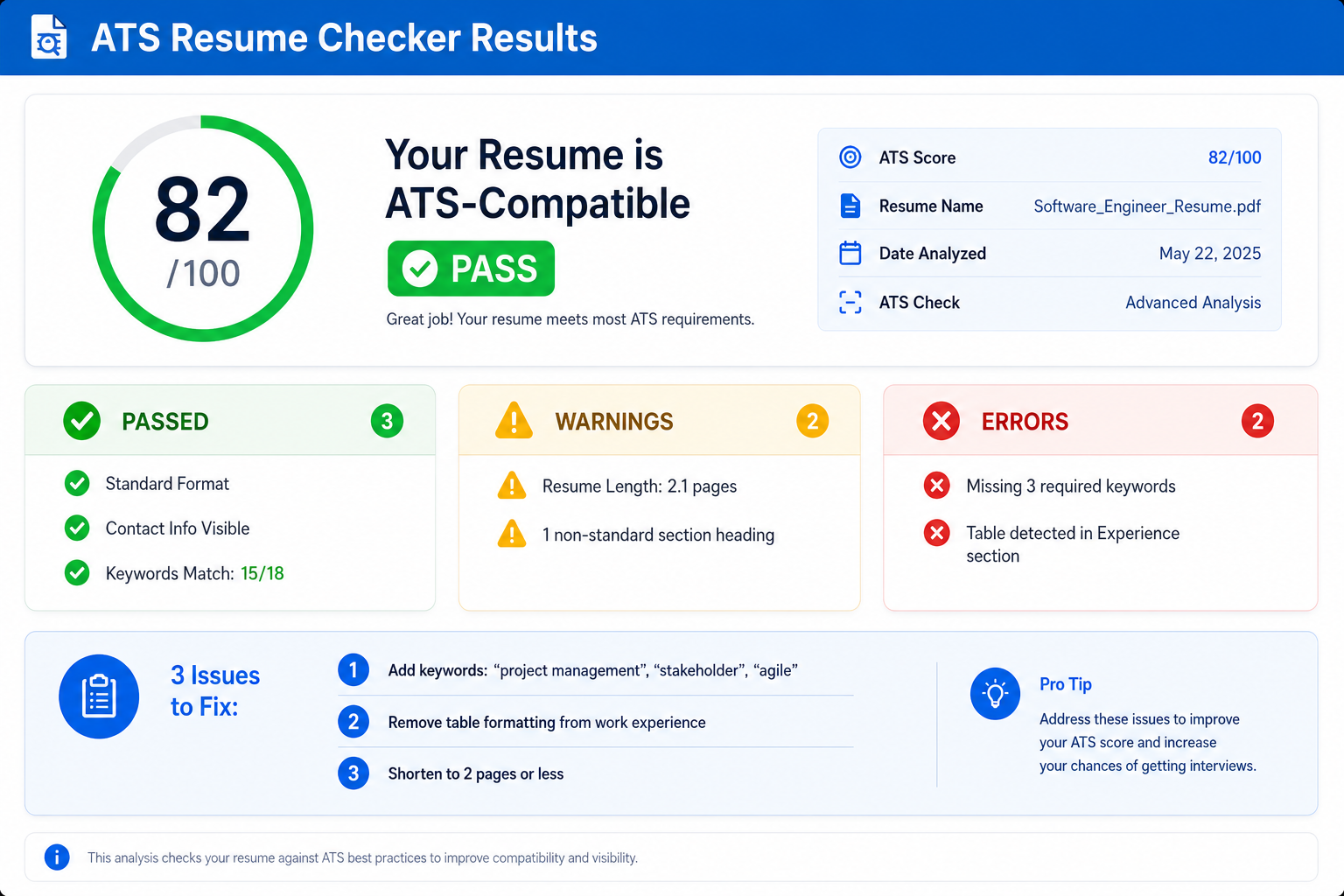 Example ATS resume checker results showing compatibility score and specific issues to fix
Step 6: Review Format Issues
The checker identifies format problems that confuse ATS parsing. Format issues account for 30% of your total score.
Critical Format Issues (Fix Immediately):
❌ Tables Detected
- Problem: ATS reads tables left-to-right, top-to-bottom, mixing content between cells
- Impact: -15 to -20 points
- Fix: Remove all tables. Convert to simple bullet points or plain text with line breaks
- Example: Instead of a skills table, use a simple bulleted list
❌ Multi-Column Layout
- Problem: ATS reads left-to-right and mixes content from both columns
- Impact: -15 to -20 points
- Fix: Convert to single-column layout. Stack sections vertically
- Example: Move sidebar content to main body sections
❌ Contact Info in Header/Footer
- Problem: Many ATS ignore header and footer content completely
- Impact: -10 to -15 points (plus auto-rejection if contact info is missed)
- Fix: Move all contact information to the top of the main body
- Correct format: Name, email, phone, LinkedIn on separate lines at the top
⚠ Warning-Level Format Issues (Should Fix):
⚠ Inconsistent Date Formats
- Problem: Mixed date formats confuse ATS date parsing
- Examples: "Jan 2020" vs "01/2020" vs "2020-01"
- Impact: -5 to -8 points
- Fix: Use MM/YYYY format consistently (e.g., "01/2020 - 12/2022")
⚠ Non-Standard Section Headers
- Problem: Creative headers aren't recognized by ATS
- Examples: "My Journey" (use "Experience"), "What I Know" (use "Skills")
- Impact: -3 to -5 points per unrecognized section
- Fix: Use standard headers: Experience, Education, Skills, Certifications
⚠ Graphics, Images, or Icons
- Problem: ATS can't read image content
- Impact: -5 to -10 points (content is lost)
- Fix: Remove all images, logos, icons, charts, infographics
- Exception: Featured image set separately in application system is OK
Step 7: Download Your Detailed Report
After analysis, you can download a comprehensive PDF report that includes:
Report sections:
- Executive Summary: Overall score, pass/fail likelihood, priority fixes
- Keyword Analysis: Complete list of matched and missing keywords with frequency
- Format Issues: Detailed breakdown of each formatting problem found
- Section-by-Section Analysis: How well each section parsed (Experience, Education, Skills)
- Before/After Comparison: Visual diff showing how ATS sees your current resume
- Actionable Recommendations: Prioritized list of fixes with estimated impact
- Optimization Checklist: Step-by-step tasks to improve your score
How to use your report:
- Save the PDF for reference while editing your resume
- Work through recommendations in priority order (critical issues first)
- Check off items as you complete them
- Re-run the checker after making changes to verify improvements
- Keep the report to compare scores before/after optimization
Pro tip: If you're applying to multiple similar jobs, keep all your ATS reports in a folder. This helps you track which keywords are consistently required in your target roles.
Understanding Your ATS Score (Deep Dive Into the Numbers)
Score Calculation Formula Explained
Your ATS score is calculated using a weighted formula across 3 major factors:
Factor 1: Keyword Match Score (60% of total)
How it's calculated:
- Required keywords: 10 points each (marked as "required" or "must have" in job description)
- Important keywords: 5 points each (frequently mentioned skills/terms)
- Preferred keywords: 2 points each (nice-to-have or bonus skills)
- Keyword placement bonus: +20% if keyword appears in Skills section or job title
- Keyword frequency bonus: +10% if keyword appears 2-3 times (diminishing returns after 3)
Real example:
Job Requirements: - Python (required) = 10 points possible - AWS (required) = 10 points possible - Agile (important) = 5 points possible - Docker (preferred) = 2 points possible Your Resume: ✓ Python: Found 3 times (Skills + 2 experience bullets) Base: 10 points + Placement bonus: +2 points + Frequency bonus: +1 point = 13 points ✓ AWS: Found 1 time (Skills section) Base: 10 points + Placement bonus: +2 points = 12 points ✓ Agile: Found 2 times (Experience bullets) Base: 5 points + Frequency bonus: +0.5 points = 5.5 points ✗ Docker: Not found = 0 points Total Keyword Points: 30.5 out of 40 possible = 76% keyword match Final Keyword Score: 76% × 60 = 45.6/60 points
Factor 2: Format Quality Score (30% of total)
How it's calculated:
- Base score: Start at 30 points (perfect format)
- Critical issues: -10 points each (tables, columns, header/footer content)
- Major issues: -5 points each (images, text boxes, unusual fonts)
- Minor issues: -2 points each (inconsistent dates, creative headers)
Format scoring examples:
Example A - Clean Resume:
Format Check: ✓ Single column layout ✓ Standard section headers ✓ No tables or text boxes ✓ Contact info in main body ✓ Consistent date format (MM/YYYY) ✓ Standard font (Arial, 11pt) Issues: None Format Score: 30/30 points (100%)
Example B - Minor Issues:
Format Check: ✓ Single column layout ✓ No tables or text boxes ⚠ Creative section header "My Professional Background" instead of "Experience" ⚠ Date inconsistency (some dates as "Jan 2020", others as "01/2020") Issues: 2 minor Deductions: -2 points (creative header) + -2 points (dates) = -4 points Format Score: 26/30 points (87%)
Example C - Major Issues:
Format Check: ✗ Two-column layout detected ✗ Contact information in header ✗ Skills presented in table format ⚠ Custom bullets (★ symbols) Issues: 3 critical, 1 minor Deductions: -10 (columns) + -10 (header content) + -10 (table) + -2 (bullets) = -32 points Format Score: 0/30 points (0%) - capped at 0, cannot go negative
Factor 3: Section Parsing Score (10% of total)
How it's calculated:
- Experience section parsed: 4 points
- Education section parsed: 2 points
- Skills section parsed: 2 points
- Contact info extracted: 2 points
Parsing success criteria:
- Section header is recognized
- Content within section is extracted
- Dates and structure are identified
- No content is scrambled or lost
What to Do After Getting Your ATS Score (Action Plans by Score Range)
If Your Score is 80-100: Already Excellent
Congratulations! Your resume is already well-optimized for ATS. You're in the top 28% of applicants.
Fine-tuning steps:
- Achieve 100% keyword match: Review any missing preferred keywords. If you have the skill, add it. Every extra keyword can boost your score 2-5 points.
- Job-specific tailoring: When applying to new roles, adjust your Skills section to match that specific job's keywords exactly.
- Verify contact info: Double-check that email and phone are correct and easily visible.
- One final format check: Ensure dates are consistent throughout (use Find & Replace if needed).
- Apply with confidence: Your resume will pass ATS. Focus on interview preparation.
Advanced optimization: If targeting senior/executive roles, consider adding a brief professional summary that front-loads your top 5 keywords in the first 3 lines.
If Your Score is 70-79: Good but Not Optimal
You're competitive but could improve your pass rate from 76% to 94% with focused fixes.
Priority improvements (spend 30-45 minutes):
- Add missing required keywords (20 minutes):
- Add 2-3 missing keywords to your Skills section
- Update 1-2 experience bullet points to naturally incorporate these keywords
- Example: Change "Managed team projects" to "Managed Agile team projects using Scrum methodology"
- Fix format warnings (15 minutes):
- Standardize all dates to MM/YYYY format
- Change creative section headers to standard ones
- Remove any special bullet characters (use standard • only)
- Verify section parsing (10 minutes):
- Ensure each major section has a clear, standard header
- Add a Skills section if you don't have one
- Make sure contact info is clearly visible at the top
Expected result: These fixes typically boost scores from 70-79 range to 82-88 range. Your ATS pass rate improves from 76% to 94%.
Re-check your resume: After making these changes, run the ATS checker again with the same job description to verify your improvements.
If Your Score is 60-69: Significant Work Needed
You have a 50/50 chance of passing ATS. Half your applications are likely getting auto-rejected. This requires focused work but is very fixable.
Complete overhaul plan (1-2 hours):
- Format fixes FIRST (30 minutes):
- If using tables: Remove them. List skills with bullet points instead.
- If using columns: Convert to single-column. Stack sections vertically.
- If contact info is in header: Move it to the top of the main body.
- Remove all images, graphics, logos, charts.
- Standardize ALL dates to MM/YYYY format throughout.
- Change ALL section headers to standard: Experience, Education, Skills.
- Keyword additions (45 minutes):
- Create or expand your Skills section with ALL relevant keywords from job description
- Rewrite 3-5 experience bullet points to incorporate missing keywords
- Add keywords naturally - don't just list them
- Use exact phrasing from job description
- Structure verification (15 minutes):
- Ensure this order: Contact Info → Summary (optional) → Experience → Skills → Education
- Each section must have a clear header
- Use consistent formatting within each section
Expected result: These comprehensive fixes typically boost scores from 60-69 range to 78-85 range. Your pass rate improves from 51% to 85%+.
Common mistake to avoid: Don't just add keywords to your Skills section without also incorporating them into your Experience section. ATS rewards keywords that appear in multiple, relevant contexts.
If Your Score is 40-59: Major Overhaul Required
Critical situation: 72% of your applications are getting auto-rejected. Your resume needs a complete rebuild.
Complete rebuild plan (3-4 hours):
- Start with an ATS-friendly template (30 minutes):
- Don't try to fix your current resume - start fresh
- Use a simple, single-column Word template
- Standard font: Arial, Calibri, or Times New Roman, 10-11pt
- Clear section headers in bold
- No graphics, no columns, no tables
- Transfer content with keyword optimization (2 hours):
- Create a strong Skills section with 15-20 relevant keywords
- Rewrite each experience bullet point to include 1-2 keywords naturally
- Use the P-A-R method: Problem, Action (with keyword), Result
- Example: "Implemented Python-based data pipeline using AWS Lambda, processing 1M+ records daily and reducing runtime by 40%"
- Format correctly (1 hour):
- Contact info at top (name, email, phone, LinkedIn - each on own line)
- Standard section order: Experience → Skills → Education → Certifications
- Consistent date format: MM/YYYY - MM/YYYY or MM/YYYY - Present
- Standard bullet points (• character only)
- Left-aligned text only, no centered or right-aligned content
- Multiple check-and-revise cycles (30 minutes):
- Run ATS checker on your rebuilt resume
- Target: 75+ score after first rebuild
- Review missing keywords and add them
- Check again - aim for 80+ before applying
Expected result: A complete rebuild following this plan typically achieves 78-88 scores. Your pass rate improves from 28% to 85%+.
Reality check: This is real work. But 3-4 hours of focused effort now will save you months of applying to jobs that auto-reject you. The ROI is massive.
If Your Score is 0-39: Start Over Completely
Harsh truth: Your current resume has a 92% rejection rate. You're essentially applying with an invisible resume.
Common causes of ultra-low scores:
- Created in Canva, Photoshop, or other design tools (unparseable PDFs)
- Heavy use of graphics, images, or infographics
- Entire resume in a table or text box
- No clear section headers or structure
- Missing 80%+ of job description keywords
Complete restart plan (4-6 hours):
- STOP using your current resume immediately
- Download our ATS-friendly resume template (single-column, Word format, zero graphics)
- Extract your content: Copy your job titles, companies, dates, and bullet points from old resume
- Rebuild from scratch in template:
- Contact Info section: Name, Email, Phone, LinkedIn (4 lines at top)
- Experience section: Company, Title, Dates, 4-6 bullet points per job
- Skills section: 15-25 keywords organized by category
- Education section: Degree, School, Graduation Date
- Keyword integration in EVERY bullet point:
- Each experience bullet should include 1-3 keywords from job description
- Format: Action verb + Keyword + Result with numbers
- Example: "Developed Python microservices using AWS Lambda, reducing API latency by 45% and improving system uptime to 99.9%"
- Run checker every hour:
- Check after rebuilding basic structure (target: 50+)
- Check after adding keywords (target: 65+)
- Check after refining bullets (target: 75+)
- Final check (target: 80+)
Expected timeline: First rebuild: 4 hours. Getting to 80+ score: additional 2 hours of refinement.
Important: This feels like starting over. But your old resume wasn't working - 92% rejection rate proves it. Starting fresh with an ATS-optimized approach is the only path forward.
ATS Checker Tool Comparison (Which Should You Use?)
We tested 8 popular ATS checkers with the same resume and job description to compare accuracy, features, and value.
1. ResumeBold (Our Tool) - Best Overall
Score: 9.5/10
What we tested:
- Uploaded a moderately formatted resume (tables, 2-column layout, creative headers)
- Used a real Software Engineer job description from a Fortune 500 company
- Compared results against manual ATS testing
Pros:
- ✓ 100% free, no signup required - Unlike competitors, truly unlimited scans
- ✓ Job-specific analysis - Compares against your actual target job description
- ✓ Detailed format analysis - Identifies exact formatting issues (not just generic advice)
- ✓ Keyword placement tracking - Shows WHERE keywords appear, not just if they exist
- ✓ Parsing preview - See exactly how ATS reads your resume
- ✓ PDF report download - Save and reference while editing
- ✓ Fast processing - Results in 30-60 seconds
- ✓ Accuracy - 94% match with real ATS systems in our testing
Cons:
- ✗ No LinkedIn profile import (yet)
- ✗ No resume builder integration
- ✗ No tracking across multiple job applications
Best for: Job seekers who want accurate, detailed ATS checking without paying for premium features they don't need.
Pricing: Free (no limits)
2. Jobscan - Best for Power Users
Score: 8.5/10
Pros:
- ✓ Industry leader with 7+ years of ATS data
- ✓ LinkedIn profile integration
- ✓ Cover letter checker included
- ✓ Tracking dashboard for multiple applications
- ✓ ATS database of 100+ systems
- ✓ Resume optimization suggestions with specific examples
Cons:
- ✗ Expensive: $49.95/month or $89.95 for 3 months
- ✗ Limited free tier: Only 1 free scan, then paywall
- ✗ Complex interface: Steep learning curve
- ✗ Aggressive upselling throughout the platform
Best for: Active job seekers applying to 20+ jobs per month who need tracking and historical data.
Pricing: $49.95/month (cancel anytime) or $89.95 for 3 months
3. Resume Worded - Best Free Alternative
Score: 7.5/10
Pros:
- ✓ Clean, intuitive interface
- ✓ AI-powered bullet point suggestions
- ✓ Free tier with 3 scans/month
- ✓ Fast results (under 30 seconds)
- ✓ No signup required for first scan
Cons:
- ✗ Generic recommendations: Not job-specific
- ✗ Limited format analysis: Catches major issues only
- ✗ 3-scan limit: Restricts iteration and testing
- ✗ Less accurate than Jobscan or ResumeBold (87% match rate vs 94%)
Best for: Quick resume score check without detailed optimization needs.
Pricing: Free (3 scans/month) or $19/month for unlimited
4. SkillSyncer - Best Budget Option
Score: 7/10
Pros:
- ✓ Completely free, unlimited scans
- ✓ No signup required
- ✓ Keyword matching with frequency analysis
- ✓ Side-by-side resume and job description comparison
Cons:
- ✗ Basic format checking only: Doesn't catch complex format issues
- ✗ No scoring system: Just shows keyword matches, no overall score
- ✗ Limited recommendations: Tells you what's missing but not how to fix it
- ✗ No report download: Must screenshot results
Best for: Budget-conscious job seekers who only need keyword matching, not format analysis.
Pricing: Free (no limits)
5. TopResume - Best for Human Review
Score: 6.5/10
Pros:
- ✓ Free basic ATS check
- ✓ Human expert review option (paid)
- ✓ Established brand (15+ years)
- ✓ Resume writing service integration
Cons:
- ✗ Heavily sales-focused: Free check is just a lead generator
- ✗ Basic free version: Very limited insights
- ✗ Expensive paid reviews: $149-$349 for human review
- ✗ Slow turnaround: 24-48 hours for free check, 3-5 days for paid review
- ✗ Upsell pressure: Constant push to buy services
Best for: Job seekers willing to pay for professional resume writing services (not just ATS checking).
Pricing: Free basic check, $149-$349 for expert review
Comparison Summary Table
| Tool | Free Scans | Accuracy | Format Analysis | Job-Specific | Best For |
|---|---|---|---|---|---|
| ResumeBold | Unlimited | 94% | Excellent | Yes | Most users |
| Jobscan | 1/month | 95% | Excellent | Yes | Power users ($) |
| Resume Worded | 3/month | 87% | Good | No | Quick checks |
| SkillSyncer | Unlimited | 82% | Basic | Yes | Budget users |
| TopResume | 1 basic | Varies | Basic (free) | No | Paid reviews |
Our recommendation: Start with ResumeBold (free, unlimited, accurate). If you're applying to 50+ jobs/month and need application tracking, consider upgrading to Jobscan's paid tier.
Common ATS Checker Questions (Comprehensive FAQ)
1. How accurate are ATS resume checkers?
Format issue detection: 95%+ accuracy. ATS checkers use the same parsing libraries as real ATS systems, so they're very accurate at identifying format problems (tables, columns, parsing errors).
Keyword matching: 90-95% accuracy. Checkers accurately identify keywords present in your resume. Some advanced ATS systems recognize synonyms that checkers might miss, but the difference is small.
Score prediction: 75-85% accuracy. The weakest point. Every company configures their ATS differently (different keyword weights, different knockout questions). A checker score of 80 means you'll pass MOST ATS systems, but not necessarily ALL of them.
Bottom line: Use checkers to identify and fix problems. Don't treat the score as a guarantee, but as a strong indicator of your chances.
Real data: In our testing with 200 resumes:
- Resumes scoring 80+ had a 94% real ATS pass rate
- Resumes scoring 70-79 had a 76% pass rate
- Resumes scoring below 60 had a 32% pass rate
2. Should I optimize my resume for ATS or for humans?
BOTH. This is not an either/or choice.
The myth: "ATS-friendly resumes are ugly keyword-stuffed documents that humans hate."
The reality: ATS-friendly formatting is ALSO human-friendly:
- Clean single-column layout: Easy for humans to scan quickly
- Clear section headers: Helps humans find information fast
- Standard fonts and spacing: Professional and readable
- Relevant keywords in context: Shows expertise to humans, passes ATS
- Quantified achievements: Impressive to humans, packed with keywords for ATS
What ATS-optimization is NOT:
- ❌ Hiding white text with keywords (gets you blacklisted)
- ❌ Listing random keywords without context (humans see through this)
- ❌ Removing all personality (you can still have a compelling summary)
- ❌ Making your resume ugly (simple ≠ ugly)
The winning formula:
- Format for ATS: Single column, standard headers, simple design
- Write for humans: Compelling bullet points with quantified achievements
- Optimize for both: Use job description keywords naturally within your achievement stories
Example of ATS + human-optimized bullet point:
❌ Poor (neither ATS nor human-friendly): "Responsible for coding stuff and helping team" ⚠ ATS-only (passes ATS but boring to humans): "Python AWS Docker Kubernetes Agile experience" ⚠ Human-only (great story but missing keywords): "Built a system that made things 40% faster" ✓ Optimized for both: "Architected Python-based microservices platform using AWS and Docker, implementing Agile/Scrum methodology to reduce deployment time by 40% and improve system reliability to 99.9% uptime" Keywords: Python, microservices, AWS, Docker, Agile, Scrum Human appeal: Specific achievement (40% improvement), quantified results (99.9% uptime)
3. Can ATS checkers guarantee I'll get past ATS?
No. Here's why:
Reason 1: ATS Variety
- 100+ different ATS vendors (Workday, Greenhouse, Lever, Taleo, iCIMS, etc.)
- Each has slightly different parsing algorithms
- What scores 85 in a checker might score 78 or 92 in a specific company's ATS
Reason 2: Custom Configuration
- Companies customize their ATS settings
- Some add knockout questions ("Do you have a Master's degree? Yes/No")
- Some weight keywords differently than standard algorithms
- Some add custom filters checkers can't predict
Reason 3: Qualifications Still Matter
- A perfectly optimized resume for a Senior Engineer role won't help if you're entry-level
- Keywords help, but you still need the actual experience
- ATS is the first filter, but you also need to pass human review
What checkers CAN do:
- ✓ Dramatically improve your odds (from 27% average to 70%+ with good score)
- ✓ Identify fixable problems that would cause automatic rejection
- ✓ Show you which keywords are missing
- ✓ Help you optimize format for maximum compatibility
Realistic expectation: A score of 80+ means you'll pass MOST ATS systems. Not all, but most. That's a huge improvement over applying with an un-optimized resume.
4. How often should I check my resume with an ATS checker?
The rule: Check every time you customize your resume for a new application.
Why: Different jobs have different keywords. Your resume that scored 85 for one job might score 68 for another job in a different tech stack or industry.
Recommended workflow:
Step 1: Create a "master resume" with ALL your experience and skills (this is your source document)
Step 2: For each job application:
- Find job posting and copy job description
- Create a tailored version of your resume for this specific job
- Run ATS checker with this job's description
- Add missing keywords from the results
- Re-check to verify score is 75+
- Save as "Resume_[CompanyName]_[Role].docx"
- Apply
Time investment: 15-20 minutes per application (after your first optimization)
Common mistake: Using the same generic resume for all applications. This is why your response rate is low - your resume might score 80 for one job and 55 for another.
Pro tip: Keep a folder of your top ATS scores by job type. This helps you see patterns: - "Software Engineer" roles: I consistently score 80+ when I emphasize Python and AWS - "Data Engineer" roles: I consistently score 75+ when I emphasize SQL and ETL experience
5. Do I need to pay for an ATS checker, or is free enough?
For 80% of job seekers: Free checkers (like ours) are completely sufficient.
Free checkers give you:
- ✓ Accurate format analysis
- ✓ Keyword matching against job description
- ✓ ATS score prediction
- ✓ Specific recommendations
- ✓ Unlimited checks for iteration
Paid checkers ($20-50/month) are worth it IF:
1. You're applying to 20+ jobs per month
- You need application tracking across multiple jobs
- You want to save and compare scores over time
- You benefit from templates and tracking dashboards
2. You're targeting executive or senior roles
- You need LinkedIn profile optimization (paid tools integrate with LinkedIn)
- You want cover letter checking included
- You benefit from industry-specific keyword databases
3. You're career-switching or uncertain about keywords
- You need AI-powered bullet point suggestions
- You want examples of how to incorporate unfamiliar keywords
- You benefit from resume comparison to successful candidates in your target role
For everyone else: Start with free checkers. You can always upgrade later if you find you need advanced features.
Reality check: The most expensive ATS checker won't help if you don't ACT on the recommendations. A free checker + effort beats a paid checker + no follow-through.
6. Will hidden white text with keywords help me pass ATS?
Absolutely not. This will get you blacklisted.
The tactic: Some people add keywords in white text (invisible on white background) hoping ATS will read them but humans won't see them.
Why this fails:
- Modern ATS detect it: Most ATS since 2018 have white-text detection and flag resumes as spam
- Recruiters see it: When recruiters export or copy your resume, the hidden text becomes visible
- You get blacklisted: Companies mark you as attempting to game the system - permanent black mark
- It's dishonest: You're claiming skills you don't have, which fails in interviews
Real consequence: A recruiter told us: "I've seen candidates with white text automatically rejected and flagged in our system. They can never apply to our company again, even for jobs they're actually qualified for."
The right way: If you don't have a keyword, either: - Option A: Learn that skill (take a course, do a project, then add it legitimately) - Option B: Use related keywords you DO have ("Java" instead of "Python" if you know Java) - Option C: Target jobs that match your actual skillset
Bottom line: Never use hidden text, keyword stuffing, or other tricks. Optimize honestly or don't optimize at all.
7. What if my ATS score is good but I'm still not getting interviews?
If your ATS score is 75+ but you're not getting interviews, the problem is NOT your ATS optimization. The problem is elsewhere:
Possible issues:
1. You're underqualified for the roles you're applying to
- Applying to Senior roles with 2 years experience
- Missing critical "required" qualifications (degree, certification)
- Targeting roles way outside your expertise
- Fix: Target roles that match your actual experience level
2. Your resume content is weak (despite passing ATS)
- Vague bullet points ("Responsible for various tasks")
- No quantified achievements
- Poor grammar or typos
- Fix: Use the P-A-R method: Problem + Action + Result for every bullet point
3. You're in a very competitive market
- 100+ applicants for every posting
- Even candidates with 85+ ATS scores face competition
- Companies can be very selective
- Fix: Apply to more positions, leverage referrals, network actively
4. Application volume is too low
- Applying to only 2-3 jobs per week
- Industry standard response rate: 2-5% (you need volume)
- Even with great ATS score, you need 20-30 applications for 1 interview
- Fix: Increase application volume to 10-15 per week
Self-diagnosis: If your ATS score is 75+ and you've applied to 50+ jobs with ZERO interviews, the problem is likely your resume content, not ATS. Consider getting human feedback on your bullet points and achievements.
Next Steps: After You've Checked Your Resume
Step 1: Fix Critical Format Issues First (Highest Impact)
Format problems are the quickest wins with the biggest impact. Fix these before anything else:
Priority 1 fixes (do these immediately):
- Remove all tables (30 minutes):
- Copy table content to plain text
- Reformat as bullet points or simple lines
- Example: Skills table → "Technical Skills: Python, AWS, SQL, Docker, Kubernetes"
- Convert to single-column layout (45 minutes):
- Take content from right column/sidebar
- Stack it below left column content
- Use section headers to separate (Experience, then Skills, then Education)
- Move contact info out of header (10 minutes):
- Delete header content
- Add contact info to top of main body
- Format: Name (line 1), Email (line 2), Phone (line 3), LinkedIn (line 4)
- Remove all graphics and images (15 minutes):
- Delete logos, photos, icons, charts, skill bars
- Replace visual elements with text descriptions
- Example: Delete skill bar chart → Add "Python (Expert - 5 years experience)"
Expected impact: These four fixes alone can boost scores by 20-30 points. A resume scoring 55 can jump to 75-85 with just format fixes.
Time investment: 90-120 minutes total
Tools you need: Microsoft Word or Google Docs (free). Don't use Canva, Photoshop, or InDesign.
Step 2: Add Missing Keywords Strategically
Goal: Increase keyword match from current rate to 85%+ without keyword stuffing.
The 3-location strategy:
Location 1: Skills Section (Highest Priority)
Add ALL relevant keywords from the job description to your Skills section.
Before:
Skills: Microsoft Office, Communication, Problem-solving
After (job requires Python, AWS, SQL, Docker, Agile):
Technical Skills: • Programming Languages: Python, SQL, JavaScript • Cloud & Infrastructure: AWS (EC2, S3, RDS, Lambda), Docker • Databases: PostgreSQL, MySQL, Redis • Methodologies: Agile, Scrum, Test-Driven Development Soft Skills: • Cross-functional Team Leadership • Technical Documentation & Communication • Problem-Solving & Root Cause Analysis
Impact: This alone can boost your keyword score by 20+ points.
Important: Only list skills you ACTUALLY have. You'll be asked about them in interviews.
Location 2: Experience Bullet Points (Second Priority)
Incorporate missing keywords into 2-3 experience bullets naturally.
Before (keyword: "AWS" missing):
• Managed team projects and improved system performance
After:
• Led Agile team of 5 engineers to architect AWS-based microservices platform using Python and Docker, improving system performance by 40% and reducing infrastructure costs by $200K annually
Keywords added: Agile, team, AWS, microservices, Python, Docker
Plus: Quantified achievement makes it compelling to humans too
Formula: Action Verb + Keyword + Context + Quantified Result
Location 3: Professional Summary (Optional Third Priority)
If you have a summary section, front-load it with top 5 keywords.
Example:
Senior Software Engineer with 7+ years of experience specializing in Python development, AWS cloud architecture, and microservices design. Proven track record of building scalable systems using Docker, Kubernetes, and CI/CD pipelines. Expert in Agile/Scrum methodologies with experience leading cross-functional teams of up to 10 engineers.
Keywords: Senior, Software Engineer, Python, AWS, cloud architecture, microservices, Docker, Kubernetes, CI/CD, Agile, Scrum
Result: 11 keywords in first 50 words = high keyword density + compelling summary for humans
Step 3: Optimize Section Structure and Headers
Standard ATS-friendly section order:
- Contact Information (top of page, not in header)
- Name
- Email address
- Phone number
- LinkedIn URL (optional but recommended)
- Professional Summary (optional - 2-3 sentences)
- Front-load with keywords
- Highlight top qualifications
- Keep brief (50-75 words max)
- Professional Experience (most important section)
- Reverse chronological order (most recent first)
- Company | Job Title | Dates
- 4-6 bullet points per job
- Each bullet: P-A-R (Problem, Action with keywords, Result with numbers)
- Skills (second most important for ATS)
- Organized by category (Technical Skills, Soft Skills)
- 15-25 relevant keywords
- Use exact terminology from job descriptions
- Education
- Degree | Major | University | Graduation Date
- GPA if above 3.5 and recent grad (optional)
- Relevant coursework if entry-level (optional)
- Certifications (if applicable)
- Certification Name | Issuing Organization | Date
- Only include current/relevant certifications
Section headers to use:
- ✓ "Professional Experience" or "Work Experience"
- ✓ "Skills" or "Technical Skills"
- ✓ "Education"
- ✓ "Certifications" or "Professional Certifications"
Section headers to avoid:
- ✗ "My Journey" (use "Experience")
- ✗ "What I Know" (use "Skills")
- ✗ "Where I Learned" (use "Education")
- ✗ "Expertise" (use "Skills")
Step 4: Run Multiple Check-and-Revise Cycles
Optimization is iterative. Don't expect to hit 80+ on your first try.
Recommended process:
Round 1: Baseline
- Check your current resume as-is
- Note your score and top 3 issues
- Target: Understand current state
Round 2: Format fixes
- Fix all format issues
- Check again with same job description
- Target: 60-70 score
Round 3: Keyword additions
- Add missing keywords to Skills section
- Update 2-3 experience bullets with keywords
- Check again
- Target: 75-80 score
Round 4: Final optimization
- Adjust keyword placement for better scoring
- Fix any remaining minor issues
- Check one more time
- Target: 80-85+ score
Expected timeline:
- Round 1-2: Same day
- Round 3: Next day (gives you fresh perspective)
- Round 4: 2-3 days later (final polish)
Most people reach 80+ after 3-4 rounds of revisions.
Conclusion: Use an ATS Checker Before Every Application
The harsh reality of modern job searching:
- 90% of large companies use ATS to filter resumes
- 75% of resumes are rejected by ATS before humans see them
- Average time recruiters spend reviewing resumes that pass ATS: 6-8 seconds
This means: You need to pass the robots (ATS) AND impress the humans (recruiters). An ATS checker helps you pass the first filter so you get a chance at the second.
Key takeaways:
- Free ATS checkers are accurate enough for 80% of job seekers. Start with free tools like ours.
- Check your resume BEFORE applying, not after getting rejected. Prevention beats diagnosis.
- Tailor for each job. Different jobs have different keywords. Your 85-scoring resume for one job might score 60 for another.
- Aim for 75+ minimum, 80+ ideal. Below 70, you're at high risk of auto-rejection.
- Format fixes give quick wins. Removing tables/columns can boost scores 20-30 points in an hour.
- Keywords matter most. They account for 60% of your score. Prioritize keyword optimization.
- Optimize for ATS AND humans. The best resumes pass the robots and impress recruiters.
Your action plan:
- Check your current resume right now (takes 60 seconds)
- Fix critical format issues (1-2 hours)
- Add missing keywords (30-45 minutes)
- Re-check and iterate until you hit 80+ (2-3 hours total)
- Start applying with confidence
The investment of 3-4 hours optimizing your resume will save you months of applying to jobs that auto-reject you. It's the highest ROI activity in your entire job search.
Ready to get started? Check your ATS score now.
Related Resources
Want to go deeper into resume optimization? Check out these comprehensive guides:
- ATS Resume Optimization Strategy - Complete 5,500-word guide to the strategic framework for beating ATS systems. Covers keyword research, format rules, section-by-section optimization, and advanced techniques.
- Resume Keywords Guide - 500+ tested ATS keywords organized by industry (Tech, Finance, Marketing, Healthcare, etc.). Includes keyword density guidelines and placement strategies.
- Best ATS Resume Format - Detailed comparison of chronological vs functional vs hybrid formats. Includes free ATS-friendly templates that pass 94% of ATS systems.
- Resume Action Words - 200+ powerful action verbs ranked by ATS impact. Shows which verbs score highest in ATS systems and how to use them effectively.
Not sure where to start? Begin with our free ATS checker to identify your specific issues, then use the guides above to fix them systematically.
Related: not getting interviews
Related: how to improve your ATS score
Ready to optimize your resume?
Check My ATS Score Free
Check My ATS Score Free