10 Resume Mistakes That Get You Auto-Rejected by ATS (2026)

You spent hours writing your resume. You applied to twenty jobs. You got zero responses.
The problem isn't your experience. It's the ten resume mistakes that trigger Applicant Tracking System (ATS) filters before a recruiter even opens your file. Seventy-five percent of resumes get auto-rejected because of formatting errors, missing keywords, or technical issues the system can't parse.
This guide shows you the exact mistakes that cost you interviews and how to fix each one before you apply. Run your resume through the ResumeBold free ATS Resume Checker to catch these errors in under two minutes.
Why Resumes Get Auto-Rejected Before Humans See Them
Applicant Tracking Systems scan your resume for three things: keywords that match the job description, formatting the system can read, and structured data it can extract. When your resume fails any of these checks, it never reaches the hiring manager.
The parsing problem: ATS software converts your resume into plain text. Two-column layouts, tables, and graphics break during this conversion. Your skills section ends up mixed with your work experience. The system can't find what it needs and rejects your application automatically.
The keyword gap: You describe your work one way. The job posting uses different terms. The ATS doesn't match "led projects" with "project management" even though they mean the same thing. No keyword match equals automatic rejection.
The formatting failure: Headers and footers get skipped. Custom fonts become unreadable symbols. PDFs with embedded images fail to parse. The system sees blank spaces where your contact information should be and moves to the next candidate.
Resume Mistakes Quick Reference
| Mistake | Why It Fails | Fix | Impact |
|---|---|---|---|
| Two-column layout | ATS can't parse columns correctly | Use single-column format | High |
| Missing job description keywords | Keyword matching fails | Mirror exact phrases from posting | Critical |
| Generic objective statement | Wastes prime resume space | Replace with results summary | Medium |
| No metrics or numbers | Can't prove impact | Add specific measurable results | High |
| Fancy fonts and graphics | ATS can't read decorative elements | Use standard fonts only | Critical |
| Spelling and grammar errors | Signals carelessness | Triple-check plus tools | High |
| Irrelevant information | Dilutes keyword density | Remove hobbies and references | Medium |
| Wrong file format | ATS can't parse certain formats | Use .docx unless PDF specified | Critical |
| Contact info in headers | ATS skips header content | Move all details to body | Critical |
| Same resume for every job | Generic keywords fail matching | Customize for each application | Critical |
Mistake #1: Two-Column Resume Layouts
What it looks like: Your resume has a narrow left column for skills and contact details, with work experience in a wider right column. It looks clean and modern in your PDF viewer.
Why ATS rejects it: Applicant Tracking Systems read left to right, top to bottom. They don't understand columns. The system reads your left column skills, then your right column job title, then back to left column contact info, then right column responsibilities. Your parsed resume becomes an unreadable mix where "Python" appears between your job title and company name.
The fix: Use a single-column format where all content flows from top to bottom. Contact information at the top, then summary, then work experience, then education, then skills. The ResumeBold Resume Builder uses pre-tested single-column templates that pass ATS parsing while still looking professional.
Real example: A software developer used a two-column resume with technical skills in the left sidebar. The ATS parsed it as "JavaScript Senior Software Engineer Python MongoDB." The system couldn't identify a coherent job title and filtered out the application. Switching to single-column format with "Senior Software Engineer" as a clear heading resulted in three interview requests from the same companies that had previously rejected the application.
Mistake #2: Not Mirroring Job Description Keywords
What it looks like: The job posting says "project management experience required." Your resume says "led cross-functional initiatives" and "coordinated team deliverables." You described the same work using different words.
Why ATS rejects it: Most Applicant Tracking Systems use exact keyword matching, not semantic understanding. When the system searches for "project management" and doesn't find that exact phrase, it scores your resume lower. You had the experience. The ATS just couldn't find proof of it.
The fix: Read the job description three times. Circle every skill, tool, and requirement mentioned. Use those exact phrases in your resume where you have relevant experience. If the posting says "Salesforce CRM" instead of just "Salesforce," use the full term. If it says "budget management" instead of "financial oversight," match their language.
| Job Posting Language | Your Original Phrase ❌ | Keyword-Matched Version ✅ |
|---|---|---|
| Project management | Led cross-functional initiatives | Project management for cross-functional teams |
| Data analysis using SQL | Database querying and reporting | Data analysis using SQL for reporting |
| Stakeholder communication | Regular client updates | Stakeholder communication with weekly client updates |
| Agile methodology | Sprint-based development | Agile methodology using two-week sprints |
Paste your resume and the target job description into the ResumeBold ATS Checker and it shows your keyword match percentage plus the exact terms you're missing.
Mistake #3: Generic Objective Statements
What it looks like: "Seeking a challenging position in a dynamic organization where I can utilize my skills and grow professionally."
Why it fails: This sentence contains zero keywords the ATS is searching for. It wastes the top of your resume — the section recruiters read first — on information that applies to every job seeker on the planet. Objective statements from the 1990s don't work in 2026 ATS-optimized applications.
The fix: Replace generic objectives with a results-focused summary that includes your job title, years of experience, and one measurable achievement. Front-load this summary with keywords from the job description.
| Generic Objective ❌ | Results-Focused Summary ✅ |
|---|---|
| Seeking a challenging marketing position where I can apply my creative skills | Digital Marketing Specialist with 4 years driving customer acquisition. Increased organic traffic 245% and reduced cost-per-lead from $47 to $18 through SEO optimization and targeted content campaigns |
| Looking for an entry-level position to start my career in data science | Data Science graduate with Python, SQL, and machine learning expertise. Built predictive model achieving 89% accuracy for customer churn analysis in capstone project using scikit-learn and pandas |
| Experienced professional seeking leadership role | Engineering Manager with 8 years leading cross-functional teams of 12-15 developers. Delivered 23 product releases on schedule while reducing defect rate 34% through test automation and code review processes |
Mistake #4: No Metrics or Measurable Results
What it looks like: "Managed social media accounts" or "Responsible for customer service" or "Handled data analysis projects."
Why it fails: These statements describe responsibilities without proving impact. Every candidate managed something. What separates you is how well you did it and what results you achieved. ATS systems and recruiters both prioritize resumes that show measurable outcomes.
The fix: Add specific numbers to every bullet point. How many? How much? By what percentage? In what time frame? Numbers make your achievements concrete and memorable.
| Vague Responsibility ❌ | Quantified Achievement ✅ |
|---|---|
| Managed social media marketing | Managed social media campaigns across LinkedIn, Twitter, and Instagram, growing follower base from 3,200 to 18,500 in 6 months and increasing engagement rate from 1.2% to 4.8% |
| Improved customer satisfaction | Improved customer satisfaction score (CSAT) from 72% to 91% by implementing live chat support and reducing average response time from 4 hours to 45 minutes |
| Responsible for sales | Exceeded quarterly sales targets by 127% ($2.3M vs $1.8M goal) through territory expansion and strategic account management of 47 enterprise clients |
| Conducted data analysis | Conducted data analysis on 340,000 customer records using SQL and Python, identifying $1.2M in revenue recovery opportunities and reducing data processing time from 6 days to 4 hours through automation |
If you're unsure what metrics to track, check similar role descriptions on job boards to see what outcomes companies value most. The resume bullet points guide shows exactly which metrics matter for different industries and seniority levels.
Mistake #5: Fancy Fonts, Graphics, and Visual Elements
What it looks like: Your resume uses a decorative script font for your name, includes small icons next to section headings, has a color-coded skills proficiency bar chart, or features a headshot photo.
Why ATS rejects it: Applicant Tracking Systems convert your resume to plain text for processing. Decorative fonts become unreadable symbols or disappear entirely. Icons and images get stripped out. Color-coding becomes meaningless. What looked sophisticated in your PDF becomes a parsing failure in the ATS database.
The fix: Stick to standard, universally readable fonts: Arial, Calibri, Garamond, Georgia, or Times New Roman. Use text-only section headers. Replace skill charts with simple listed skills. Remove photos, logos, and decorative elements. Save the visual creativity for your portfolio website, not your resume.
| Element | ATS-Unsafe ❌ | ATS-Safe ✅ |
|---|---|---|
| Name formatting | Decorative script font, 24pt | Arial Bold, 16-18pt |
| Section headers | Icons + color gradient | Bold text, slightly larger font |
| Skills display | Proficiency bars or star ratings | List format: "Python, JavaScript, SQL" |
| Contact info | Email icon + phone icon | Text: "Email: [email protected] | Phone: 555-0123" |
Mistake #6: Spelling and Grammar Errors
What it looks like: "Managed a team of 12 employes" or "Recieved Employee of the Month award" or using inconsistent verb tenses throughout your work experience.
Why it costs you jobs: Fifty-eight percent of resumes contain at least one typo according to recruitment industry data. Hiring managers see spelling errors as evidence of carelessness and poor attention to detail. In roles requiring precision — accounting, editing, legal, healthcare — a single typo often triggers automatic rejection.
The fix: Read your resume out loud three times. Use spell-check tools but don't rely on them alone — they miss correctly spelled wrong words like "manger" instead of "manager." Have someone else review it. Common errors to watch for: "recieve" vs "receive," "employe" vs "employee," "seperate" vs "separate," "managment" vs "management."
Check verb tense consistency. Use past tense for previous positions ("Managed," "Developed," "Implemented") and present tense only for your current role ("Manage," "Develop," "Implement").
The ResumeBold ATS Checker flags spelling errors along with formatting and keyword issues so you catch mistakes before submitting.
Mistake #7: Including Irrelevant Information
What it looks like: Sections for "Hobbies and Interests," lines saying "References available upon request," listing every job you've held since high school including unrelated retail work when you're now a senior engineer, or including outdated skills like Windows XP or Internet Explorer.
Why it hurts your application: Irrelevant content dilutes your keyword density. ATS systems calculate relevance by comparing how much of your resume matches the job requirements. Every line about stamp collecting or references is a line that could have contained keywords or achievements the system is searching for.
The fix: Apply the relevance test to every line. Does this information make me more qualified for this specific job? If the answer is no, delete it. Keep your resume focused on experience and skills directly related to the target role.
- Delete: "References available upon request" (this is assumed and wastes a line)
- Delete: Hobbies unless directly relevant (marathons for a fitness brand, coding side projects for tech roles)
- Delete: Jobs from more than 15 years ago unless they're directly relevant or show critical skills
- Delete: Outdated technical skills that are no longer industry-standard
- Delete: High school information if you have a college degree
- Keep: Volunteer work if it demonstrates relevant skills or leadership
- Keep: Certifications and professional development related to your field
Mistake #8: Wrong File Format
What it looks like: You save your resume as a PDF because it preserves formatting perfectly. Or you use .pages format because you created it on a Mac. Or you submit it as a .jpg image file.
Why it fails: Not all PDFs are ATS-compatible. Some older or more complex ATS platforms can't parse PDF files at all. Image files (.jpg, .png) can't be read by any ATS. Mac-specific formats (.pages) don't open on Windows systems used by most recruiters. The safest format is .docx because every ATS can parse it reliably.
The fix: Always read the job application instructions first. If the posting specifies a format, use exactly that. If no format is specified, use .docx (Microsoft Word format). Save your file as "FirstName_LastName_Resume.docx" not generic names like "Resume.docx" or "MyResume_Final_v3.docx."
| File Format | ATS Compatibility | When to Use |
|---|---|---|
| .docx (Word) | 95-100% compatible | Default choice for all applications |
| 70-90% compatible | Only if explicitly requested | |
| .txt | 100% compatible but loses formatting | When system specifically requires plain text |
| .pages, .odt | 0-10% compatible | Never for job applications |
| .jpg, .png | 0% compatible | Never for job applications |
Test your file before submitting. Upload it to the ResumeBold ATS Checker which shows you exactly how the system parses your file regardless of format.
Mistake #9: Contact Information in Headers or Footers
What it looks like: You put your name, phone number, email, and LinkedIn URL in the document header or footer because it looks cleaner and saves space on the main page.
Why ATS can't find you: Most Applicant Tracking Systems ignore header and footer content entirely during parsing. The system reads the main body of your document but skips the header/footer section. Your resume parses without any contact information. The recruiter wants to call you for an interview but your phone number didn't make it into the ATS database.
The fix: Move all contact information into the main body of your resume, typically at the very top. Use a simple format that ATS can parse reliably.
| Contact Element | Unsafe Placement ❌ | Safe Placement ✅ |
|---|---|---|
| Name | Document header | First line of main document |
| Phone | Footer on every page | Second line under name |
| Right-aligned header | Third line or same line as phone | |
| LinkedIn URL | Footer | Below email or in contact line |
| Location | Header sidebar | Contact section in main body |
Recommended format:
John Smith
New York, NY | (555) 123-4567 | [email protected] | linkedin.com/in/johnsmith
Mistake #10: Sending the Same Resume to Every Job
What it looks like: You crafted one strong resume that covers all your experience and skills. You send this exact same file to every application because customizing for each job seems too time-consuming.
Why generic resumes fail: Every job description has unique keyword requirements. A product manager role at a startup emphasizes "cross-functional collaboration" and "rapid iteration." The same role at an enterprise company prioritizes "stakeholder management" and "roadmap planning." Your generic resume can't match both keyword sets. The ATS ranks you lower than candidates who customized their applications.
The fix: Spend five minutes customizing keywords for each application. You don't need to rewrite your entire resume. Keep the same core achievements but adjust the phrasing to mirror the target job description.
| Situation | Generic Version | Customized Version |
|---|---|---|
| Startup PM role emphasizing "agile" and "MVP" | Led product development initiatives | Led agile product development, shipping 5 MVPs in 8 months |
| Enterprise PM role emphasizing "roadmap" and "stakeholders" | Led product development initiatives | Managed product roadmap and stakeholder alignment across 4 departments |
| Data role emphasizing "SQL" and "Python" | Performed data analysis and reporting | Data analysis using SQL and Python for automated reporting |
| Data role emphasizing "Tableau" and "dashboards" | Performed data analysis and reporting | Built executive dashboards in Tableau analyzing real-time metrics |
Use the resume tailoring guide to customize applications efficiently without starting from scratch every time.
Resume Mistakes by Seniority Level
| Entry Level (0-2 years) | Mid Level (3-6 years) | Senior / Lead (7+ years) |
|---|---|---|
| Including high school information | Listing every responsibility instead of achievements | Resume longer than 2 pages with irrelevant early career details |
| No measurable results from internships or projects | Not quantifying team size, budget, or project scope | Missing leadership metrics and strategic impact |
| Generic "seeking opportunity to learn and grow" objectives | Weak action verbs (assisted, helped, worked on) | Outdated skills from 10-15 years ago taking up space |
| Not leveraging academic projects as real experience | Same bullet format for every role instead of showing progression | Not tailoring executive summary to specific leadership level |
Step-by-Step: How to Fix Your Resume Before Applying
- Run an ATS compatibility check first. Upload your current resume to the ResumeBold ATS Checker to identify formatting problems, missing keywords, and parsing failures before you make any changes.
- Convert to single-column layout if needed. If your resume uses columns, tables, or side-by-side sections, rebuild it in a simple top-to-bottom format. Your contact information at the top, followed by summary, work experience, education, and skills flowing in a single column.
- Extract keywords from the target job description. Open the job posting. Highlight every required skill, tool, certification, and responsibility mentioned. Make a list of these exact phrases. These are your target keywords.
- Update your resume summary and experience bullets. Revise your resume to include as many target keywords as honestly fit your background. Change "led projects" to "project management" if the posting uses that term. Add specific tool names (Salesforce, Workday, Jira, Tableau) where you have experience with them.
- Add metrics to every bullet point. Go through each responsibility and ask: How many? How much? By what percentage? In what timeframe? Add specific numbers. "Managed team" becomes "Managed team of 8 developers." "Improved efficiency" becomes "Improved processing efficiency by 34%, reducing turnaround time from 6 days to 4 hours."
- Remove all non-ATS-friendly elements. Delete graphics, images, icons, tables, and text boxes. Change decorative fonts to Arial or Calibri. Move contact information from headers/footers into the main document body. Save as .docx unless the application specifically requires PDF.
Proofread three times and test again. Read your resume out loud. Run spell-check. Have someone else review it. Then upload the final version to the ResumeBold Resume Builder which automatically checks ATS compatibility as you work and prevents common formatting mistakes.

Common Resume Mistakes That Waste Your Time
- Spending hours on visual design instead of content: Your resume needs to pass an automated parser before a human sees it. Fancy formatting gets stripped out during ATS processing. Focus your time on strong achievements and keyword optimization, not color schemes and borders.
- Listing soft skills without proof: Writing "strong communication skills" or "team player" adds no value. These are claims every candidate makes. Instead, show communication skills through examples: "Presented quarterly results to C-suite executives" or "Coordinated weekly standups across 3 distributed teams."
- Using resume templates with embedded tables: Many free resume templates use invisible tables to control layout. ATS systems can't parse tables correctly. The ResumeBold template library includes only ATS-tested formats without hidden tables or problematic structures.
- Not updating your resume for months or years: Your resume should evolve as you gain new skills and complete new projects. Waiting until you start job searching means you've forgotten specific metrics and details. Update your resume quarterly with recent achievements while the numbers are fresh.
- Ignoring applicant tracking system score: Sixty-three percent of job seekers never test their resume in an ATS simulator before applying. They don't know what parsing failures or keyword gaps exist until after sending applications. Check your ATS compatibility before each application, not after weeks of rejections.
- Making corrections directly in PDF: Editing a PDF resume creates formatting artifacts that confuse ATS parsers. Always keep your resume as an editable .docx file and only convert to PDF if the application explicitly requires it.
- Using a single resume for multiple industries: A resume optimized for marketing roles won't score well for project management positions even if you have relevant experience in both areas. Create role-specific versions that emphasize different skills and achievements depending on the target position.
Frequently Asked Questions
What is the biggest resume mistake people make?
Using a two-column resume layout is the most common ATS-blocking mistake. Applicant Tracking Systems read from left to right and top to bottom, treating each column as a separate section. Your resume parses with skills mixed into work experience and contact information scattered throughout instead of in sequence. This formatting error alone accounts for approximately 40% of ATS parsing failures. Switch to a single-column format where all content flows from top to bottom.
How do I know if my resume has ATS mistakes?
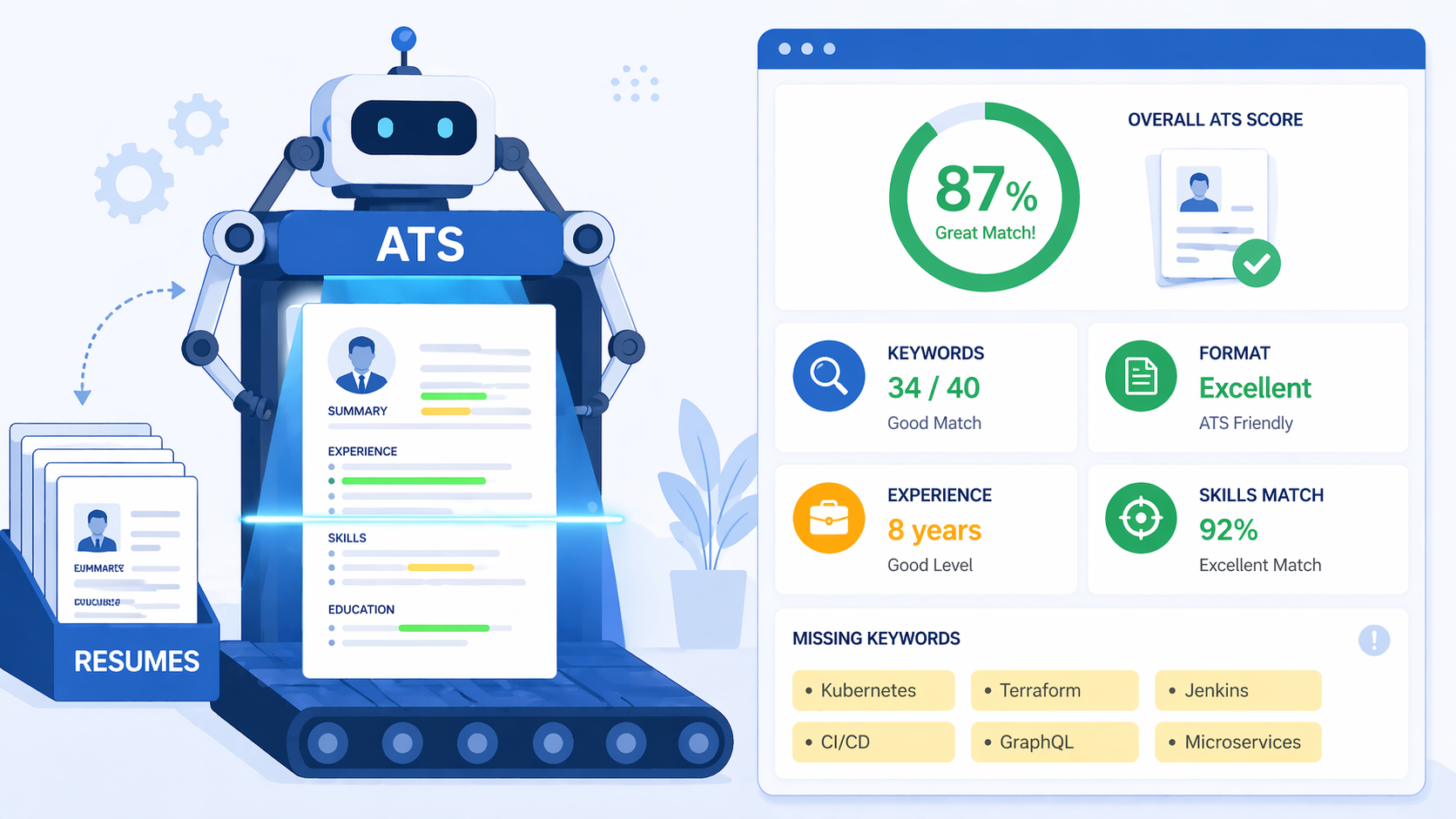
Upload your resume to the ResumeBold free ATS Resume Checker. It parses your file the same way employer ATS systems do and shows you exactly what the system extracts. You'll see formatting failures (contact info in wrong sections, jumbled text from column layouts), missing keywords the system can't find, and compatibility issues with your file format. The checker shows a side-by-side comparison of your original resume and what ATS parsed.
Should I use a PDF or Word document for my resume?
Use .docx (Word format) unless the job application explicitly requests PDF. Microsoft Word .docx files have 95-100% ATS compatibility across all platforms. PDF compatibility varies from 70-90% depending on how the PDF was created and which ATS the employer uses. When in doubt, .docx is the safer choice. Always read the application instructions — if they specify a format, use exactly what they request.
How many keywords should I include in my resume?
Include every relevant keyword from the job description that honestly matches your experience. There's no magic number. A resume for a technical role might have 20-30 specific tool and technology keywords. A management role might have 15-20 keywords around leadership, process improvement, and strategic planning. Focus on quality over quantity — only include keywords you can back up with real experience. Check the resume keywords guide for role-specific keyword lists.
What font should I use to avoid ATS mistakes?
Use standard, universally readable fonts: Arial, Calibri, Garamond, Georgia, or Times New Roman in 10-12 point size for body text and 14-16 point for your name. These fonts are installed on every system and parse reliably in all ATS platforms. Avoid decorative fonts, script fonts, or any custom downloaded fonts. Don't use multiple fonts in one resume — pick one and use it consistently throughout.
Can I use bullet points in an ATS-friendly resume?
Yes, use standard bullet points for all experience and achievement lists. Stick to simple round bullets (•) or hyphens (-) that every ATS can parse. Avoid fancy bullet symbols, checkmarks, arrows, or custom icons which often fail to parse correctly or disappear entirely. Format your bullets consistently throughout the resume. Most ATS platforms expect bullets in work experience sections and interpret them correctly.
How often should I update my resume to avoid mistakes?
Update your resume quarterly even when you're not actively job searching. Add new projects, certifications, and measurable results every three months while the details are fresh in your mind. When you start a job search, you'll have current information ready instead of scrambling to remember metrics from two years ago. Before each application, spend five minutes customizing keywords for that specific role using the job description.
What's the difference between ATS mistakes and human reader mistakes?
ATS mistakes prevent your resume from being read at all — formatting that can't be parsed, missing file metadata, contact information in headers that gets skipped. Human reader mistakes hurt your chances after the resume passes ATS — typos, lack of specific achievements, generic objective statements, poor organization. You need to avoid both types. First, ensure ATS can parse your resume correctly. Then, optimize the content for human readers who will review the successfully parsed applications.
Fix Resume Mistakes Before Your Next Application
You now know the ten resume mistakes that trigger automatic rejection and exactly how to fix each one. The difference between landing interviews and getting filtered out often comes down to formatting details and keyword optimization, not your actual qualifications.
Don't guess whether your resume will pass ATS screening. Upload it to the ResumeBold free ATS Resume Checker right now. You'll see your parsed resume exactly as the system reads it, get a compatibility score, and receive specific fixes for formatting errors, missing keywords, and parsing failures. The check takes under two minutes.
Building a new resume from scratch? The ResumeBold Resume Builder uses ATS-tested templates and automatically prevents formatting mistakes as you work. It guides you through adding metrics, customizing keywords, and optimizing every section for both ATS compatibility and human readers.
Related: How to Beat ATS Systems | Resume Bullet Points Guide | How to Make Your Resume ATS-Friendly
Ready to optimize your resume?
Check My ATS Score Free